<?xml version="1.0" encoding="utf-8"?><feed xmlns="http://www.w3.org/2005/Atom" xml:lang="en_US"><generator uri="https://jekyllrb.com/" version="3.10.0">Jekyll</generator><link href="https://blog.ostebaronen.dk/feed.xml" rel="self" type="application/atom+xml" /><link href="https://blog.ostebaronen.dk/" rel="alternate" type="text/html" hreflang="en_US" /><updated>2026-08-14T11:39:50+00:00</updated><id>https://blog.ostebaronen.dk/feed.xml</id><title type="html">Cheesy bits and bobs</title><subtitle>A blog about cross-platform mobile app development and other programming related things. Written by &lt;a rel=&quot;me&quot; href=&quot;https://fosstodon.org/@Cheesebaron&quot;&gt;Cheesebaron&lt;/a&gt;.
</subtitle><author><name>Tomasz Cielecki</name><email>http://www.google.com/recaptcha/mailhide/d?k=01Xl1ad5IaMm7YM87SgD-SWQ==&amp;c=YmzW4YCl70mVh2HNSkJ5aNsU0YETft6IXrFI8J0nylg=</email></author><entry><title type="html">Microsoft Testing Platform GitHub and Azure DevOps Reporting</title><link href="https://blog.ostebaronen.dk/2026/08/mtp-reporting.html" rel="alternate" type="text/html" title="Microsoft Testing Platform GitHub and Azure DevOps Reporting" /><published>2026-08-14T11:00:00+00:00</published><updated>2026-08-14T11:00:00+00:00</updated><id>https://blog.ostebaronen.dk/2026/08/mtp-reporting</id><content type="html" xml:base="https://blog.ostebaronen.dk/2026/08/mtp-reporting.html"><![CDATA[<p>I’ve <a href="/2025/07/ms-test-platform-is-cool.html">previously written about how cool Microsoft Testing Platform</a> is, which is a set of libraries that a lot of Unit Test frameworks such as xUnit, TUnit, MSTest and more build on. To standardize how the tests are hosted and run and which arguments you can provide to your test runs to generate reports in different formats for both tests and code coverage.</p>

<p>Something new that the team behind the tooling have added is a few libraries to help reporting the test results when they run in GitHub or Azure DevOps. For instance in Azure DevOps Pipelines, when you want to report test results you will have to report this yourself by adding something like this to your pipeline:</p>

<div class="language-yml highlighter-rouge"><div class="highlight"><pre class="highlight"><code><span class="pi">-</span> <span class="na">task</span><span class="pi">:</span> <span class="s">PublishTestResults@2</span>
  <span class="na">inputs</span><span class="pi">:</span>
    <span class="na">testResultsFormat</span><span class="pi">:</span> <span class="s1">'</span><span class="s">VSTest'</span>
    <span class="na">testResultsFiles</span><span class="pi">:</span> <span class="s1">'</span><span class="s">$(Build.ArtifactStagingDirectory)/Tests/*.trx'</span>
</code></pre></div></div>

<p>In GitHub there is no equivalent to the Test and Coverage tabs on build summaries. But what you could do is generate CTRF reports and use an action like <a href="https://github.com/ctrf-io/github-test-reporter" title="CTRF Test Reporter action"><code class="language-plaintext highlighter-rouge">ctrf-io/github-test-reporter</code></a> to post in PR comments and summaries. Which could look like:</p>

<div class="language-yml highlighter-rouge"><div class="highlight"><pre class="highlight"><code><span class="pi">-</span> <span class="na">name</span><span class="pi">:</span> <span class="s">Publish Test Report</span>
  <span class="na">uses</span><span class="pi">:</span> <span class="s">ctrf-io/github-test-reporter@e500b992f936420eb633c91644cf10d4d71df700</span> <span class="c1"># v1.1.0</span>
  <span class="na">with</span><span class="pi">:</span>
    <span class="na">report-path</span><span class="pi">:</span> <span class="s">${{ github.workspace }}/ctrf/*.ctrf.json</span>
    <span class="na">summary-report</span><span class="pi">:</span> <span class="no">true</span>
    <span class="na">github-report</span><span class="pi">:</span> <span class="no">true</span>
    <span class="na">pull-request</span><span class="pi">:</span> <span class="no">true</span>
    <span class="na">update-comment</span><span class="pi">:</span> <span class="no">true</span>
  <span class="na">env</span><span class="pi">:</span>
    <span class="na">GITHUB_TOKEN</span><span class="pi">:</span> <span class="s">${{ secrets.GITHUB_TOKEN }}</span>
</code></pre></div></div>

<p>Now a lot of this is built straight into the Microsoft Testing Platform tooling, where depending on which environment you want to publish test results to you can add either:</p>

<ul>
  <li><a href="https://www.nuget.org/packages/Microsoft.Testing.Extensions.AzureDevOpsReport" title="AzureDevOpsReport NuGet">Microsoft.Testing.Extensions.AzureDevOpsReport</a></li>
  <li><a href="https://www.nuget.org/packages/Microsoft.Testing.Extensions.GitHubActionsReport" title="GitHubActionsReport NuGet">Microsoft.Testing.Extensions.GitHubActionsReport</a> (currently pre-release)</li>
</ul>

<p>This will allow you to use the argument <code class="language-plaintext highlighter-rouge">--report-gh</code> when invoking your tests on GitHub Actions Workflows and the arguments <code class="language-plaintext highlighter-rouge">--report-azdo</code> and <code class="language-plaintext highlighter-rouge">--publish-azdo-test-results</code> and <code class="language-plaintext highlighter-rouge">--report-azdo-upload-artifacts files</code> on runs in Azure DevOps Pipelines.</p>

<table>
  <thead>
    <tr>
      <th>Argument</th>
      <th>Behavior</th>
    </tr>
  </thead>
  <tbody>
    <tr>
      <td><code class="language-plaintext highlighter-rouge">--report-gh</code></td>
      <td>Publishes a summary on GitHub Actions Workflow runs</td>
    </tr>
    <tr>
      <td><code class="language-plaintext highlighter-rouge">--report-azdo</code></td>
      <td>Adds log entries and adds comments on Pull Request code</td>
    </tr>
    <tr>
      <td><code class="language-plaintext highlighter-rouge">--publish-azdo-test-results</code></td>
      <td>Streams test results into the Test tab on a Pipeline run</td>
    </tr>
    <tr>
      <td><code class="language-plaintext highlighter-rouge">--report-azdo-upload-artifacts files</code></td>
      <td>Uploads test results to Pipeline artifacts. This will also include code coverage resuts, but not populate the Test or Coverage tabs</td>
    </tr>
  </tbody>
</table>

<p>So running your tests could look as follows for Azure DevOps. In my examples here I am using <a href="https://tunit.dev" title="TUnit testing framework">TUnit</a>, but the options could look slightly different if you are using another testing framework. However, the flags from the two new packages remain the same:</p>

<div class="language-bash highlighter-rouge"><div class="highlight"><pre class="highlight"><code>dotnet <span class="nb">test</span> <span class="se">\</span>
  <span class="nt">--report-trx</span> <span class="se">\</span>
  <span class="nt">--report-trx-filename</span> <span class="o">{</span>asm<span class="o">}</span>_<span class="o">{</span>tfm<span class="o">}</span>_<span class="o">{</span><span class="nb">time</span><span class="o">}</span>.trx <span class="se">\</span>
  <span class="nt">--coverage</span> <span class="nt">--coverage-output</span> <span class="o">{</span>asm<span class="o">}</span>_<span class="o">{</span>tfm<span class="o">}</span>_<span class="o">{</span><span class="nb">time</span><span class="o">}</span>.coverage <span class="se">\</span>
  <span class="nt">--coverage-output-format</span> cobertura <span class="se">\</span>
  <span class="nt">--report-azdo</span> <span class="se">\</span>
  <span class="nt">--publish-azdo-test-results</span> <span class="se">\</span>
  <span class="nt">--report-azdo-upload-artifacts</span> files <span class="se">\</span>
  <span class="nt">--diagnistic</span>
</code></pre></div></div>

<blockquote>
  <p>Note: there is at the time of writing this post a bit of an issue with the Azure DevOps reporting so you need to add the flag <code class="language-plaintext highlighter-rouge">--diagnostic</code> for it to not throw a <code class="language-plaintext highlighter-rouge">ObjectDisposedException</code> and fail your tests. <a href="https://github.com/microsoft/testfx/issues/10191" title="ObjectDisposedException bug report">This will be fixed in next version of the reporter (2.3.4)</a></p>
</blockquote>

<p>In Azure DevOps make sure to use a testing format that is recognized by Azure DevOps. You can use VSTest (TRX) and JUnit. Also make sure to pass a Access Token to the environment so it can upload the results like:</p>

<div class="language-yml highlighter-rouge"><div class="highlight"><pre class="highlight"><code><span class="na">script</span><span class="pi">:</span> <span class="pi">|</span>
  <span class="s">dotnet test ...</span>
<span class="na">env</span><span class="pi">:</span>
  <span class="na">SYSTEM_ACCESSTOKEN</span><span class="pi">:</span> <span class="s">$(System.AccessToken)</span>
</code></pre></div></div>

<p>For GitHub Actions your test run could look like:</p>

<div class="language-bash highlighter-rouge"><div class="highlight"><pre class="highlight"><code>dotnet <span class="nb">test</span> <span class="se">\</span>
  <span class="nt">--report-trx</span> <span class="se">\</span>
  <span class="nt">--report-trx-filename</span> <span class="o">{</span>asm<span class="o">}</span>_<span class="o">{</span>tfm<span class="o">}</span>_<span class="o">{</span><span class="nb">time</span><span class="o">}</span>.trx <span class="se">\</span>
  <span class="nt">--coverage</span> <span class="se">\</span>
  <span class="nt">--coverage-output</span> <span class="o">{</span>asm<span class="o">}</span>_<span class="o">{</span>tfm<span class="o">}</span>_<span class="o">{</span><span class="nb">time</span><span class="o">}</span>.coverage <span class="se">\</span>
  <span class="nt">--coverage-output-format</span> cobertura <span class="se">\</span>
  <span class="nt">--report-gh</span>
</code></pre></div></div>

<p>If you want to combine it with CTRF reporting I mentioned before, you have total flexibility and you can still do that.</p>

<p>Your test results in Azure DevOps should appear in the summary like this</p>

<p><a href="https://blog.ostebaronen.dk/assets/images/mstestplat2/azdosummary.png" title="Screenshot of Azure Pipelines Summary showing Tests and Coverage tabs"><img src="https://blog.ostebaronen.dk/assets/images/mstestplat2/azdosummary.png" alt="Screenshot of Azure Pipelines Summary showing Tests and Coverage tabs" title="Screenshot of Azure Pipelines Summary showing Tests and Coverage tabs" /></a></p>

<p>And in GitHub Actions Workflows it should appear in the summary of the build like this</p>

<p><a href="https://blog.ostebaronen.dk/assets/images/mstestplat2/gh-actions.png" title="Screenshot of unit test summary in a GitHub actions run"><img src="https://blog.ostebaronen.dk/assets/images/mstestplat2/gh-actions.png" alt="Screenshot of unit test summary in a GitHub actions run" title="Screenshot of unit test summary in a GitHub actions run" /></a></p>

<p>For code coverage reports, you will still need to report this yourself using the <code class="language-plaintext highlighter-rouge">PublishCodeCoverageResults@2</code> task in Azure DevOps, but perhaps in the future they will add support for reporting this through a simple flag too.</p>

<p>You can read the <a href="https://devblogs.microsoft.com/dotnet/microsoft-testing-platform-reporting/" title="Microsoft Dev Blog about Microsoft Testing Platform Reporting">full announcement on this new Microsoft Testing Platform Reporting on the Microsoft Dev Blogs.</a> and <a href="https://learn.microsoft.com/en-us/dotnet/core/testing/microsoft-testing-platform-test-reports#azure-devops-reports" title="Microsoft Learn page about Test Reports">read more about the mentioned arguments and even more arguments for reporting flaky tests in the Microsoft Learn resources about Testing Reports</a></p>]]></content><author><name>Tomasz Cielecki</name></author><category term="dotnet" /><category term="testing" /><category term="devops" /><category term="github" /><category term="azdo" /><summary type="html"><![CDATA[I’ve previously written about how cool Microsoft Testing Platform is, which is a set of libraries that a lot of Unit Test frameworks such as xUnit, TUnit, MSTest and more build on. To standardize how the tests are hosted and run and which arguments you can provide to your test runs to generate reports in different formats for both tests and code coverage.]]></summary></entry><entry><title type="html">Source Generated Refit Clients!</title><link href="https://blog.ostebaronen.dk/2026/07/source-gen-refit.html" rel="alternate" type="text/html" title="Source Generated Refit Clients!" /><published>2026-07-31T08:35:00+00:00</published><updated>2026-07-31T08:35:00+00:00</updated><id>https://blog.ostebaronen.dk/2026/07/source-gen-refit</id><content type="html" xml:base="https://blog.ostebaronen.dk/2026/07/source-gen-refit.html"><![CDATA[<p>I have previously blogged about <a href="/2024/06/refit-resilience.html">Refit and how to set up reslience</a> and it is no secret that I am a big fan of writing my client code using Refit.</p>

<p>For a long time though, Refit under the hood has been using reflection for a lot of its code. Even though a lot of your Refit client would be source generated, there would still be a lot of reflection going on at runtime to build query string parameters and when serializing and deserializing your types.</p>

<p>This changed recently in <a href="https://github.com/reactiveui/refit/pull/2210">this massive Pull Request</a>, where a lot of the code to generate a client, instead of using reflection now inlines the logic for the queries and much more. To catch up on all the changes make sure to <a href="https://github.com/reactiveui/refit/blob/main/docs/breaking-changes.md#v14xx">have a look at the breaking changes documentation</a>.</p>

<p>What this means in the end. Since Refit is now reflection-free, we can fully AOT compile all the code it emits and without trimming warnings leaking into your code, which you could not do much about before. This is huge! With the changes made for this release they have also spent a lot of effort on eliminating hot paths in the code. So in combination with AOT your Refit client should be blazing fast!</p>

<p>Main points if you adopt Refit v14, is to make a few minor changes to your code.</p>

<ul>
  <li>Instead of using <code class="language-plaintext highlighter-rouge">RestService.For&lt;T&gt;</code>, use <code class="language-plaintext highlighter-rouge">RestService.ForGenerated&lt;T&gt;</code></li>
  <li>If you are using HttpClientFactory instead of using <code class="language-plaintext highlighter-rouge">AddRefitClient</code> use <code class="language-plaintext highlighter-rouge">AddRefitGeneratedClient</code></li>
  <li>If you are using models to provide query string parameters, Refit now also supports <code class="language-plaintext highlighter-rouge">[JsonPropertyName]</code> on that model instead of using <code class="language-plaintext highlighter-rouge">[AliasAs]</code>. Meaning you could have a model like so and the name of the paramerter would be picked up from the [<code class="language-plaintext highlighter-rouge">JsonPropertyName</code>]:</li>
</ul>

<div class="language-csharp highlighter-rouge"><div class="highlight"><pre class="highlight"><code><span class="n">record</span> <span class="nf">Filter</span><span class="p">([</span><span class="n">property</span><span class="p">:</span> <span class="nf">JsonPropertyName</span><span class="p">(</span><span class="s">"file_name"</span><span class="p">)]</span> <span class="kt">string</span> <span class="n">FileName</span><span class="p">);</span>

<span class="p">[</span><span class="nf">Get</span><span class="p">(</span><span class="s">"/search"</span><span class="p">)]</span>
<span class="n">Task</span><span class="p">&lt;</span><span class="kt">string</span><span class="p">&gt;</span> <span class="nf">Search</span><span class="p">([</span><span class="n">Query</span><span class="p">]</span> <span class="n">Filter</span> <span class="n">filter</span><span class="p">);</span>
</code></pre></div></div>]]></content><author><name>Tomasz Cielecki</name></author><category term="Android" /><category term="iOS" /><category term="dotnet" /><category term="MAUI" /><summary type="html"><![CDATA[I have previously blogged about Refit and how to set up reslience and it is no secret that I am a big fan of writing my client code using Refit.]]></summary></entry><entry><title type="html">Logging in .NET MAUI Apps</title><link href="https://blog.ostebaronen.dk/2026/03/logging-in-maui-apps.html" rel="alternate" type="text/html" title="Logging in .NET MAUI Apps" /><published>2026-03-17T16:00:00+00:00</published><updated>2026-03-17T16:00:00+00:00</updated><id>https://blog.ostebaronen.dk/2026/03/logging-in-maui-apps</id><content type="html" xml:base="https://blog.ostebaronen.dk/2026/03/logging-in-maui-apps.html"><![CDATA[<p>A topic I have seen come up again multiple times and multiple answers for is how to add logging to your App. People do it slightly differently, but in the end logs end up in files and logging systems.</p>

<p>Logging goes really well hand in hand with your crash reporting system, to have a better idea of what happened before the App crashed. So systems like Sentry and Firebase support enriching crashes with logs. I highly recommend integrating with these as it removes a lot of guesswork if done well.</p>

<p>So let us dig into how I approach logging in a lot of Apps I work on.</p>

<h1 id="microsoft-extensions-logging">Microsoft Extensions Logging</h1>

<p>Most modern Apps, at least when dealing with .NET, will have a Inversion of Control (IoC) container set up. Whether it is Splat, Microsoft Extensions Dependency Injection (MEDI), MvvmCross, Autofac or something else. Microsoft Extensions Logging (MEL) plays really well into this.</p>

<blockquote>
  <p>The <code class="language-plaintext highlighter-rouge">Microsoft.Extensions.Logging</code> package assumes you are using <code class="language-plaintext highlighter-rouge">Microsoft.Extensions.DependencyInjection</code>, if your setup is not using that, there may be some more setup to do. I will show an example of how I do it in MvvmCross</p>
</blockquote>

<p>The <a href="https://www.nuget.org/packages/Microsoft.Extensions.Logging.Abstractions"><code class="language-plaintext highlighter-rouge">Microsoft.Extensions.Logging.Abstractions</code></a> package provides abstractions for you to use around your Application. Such as <code class="language-plaintext highlighter-rouge">ILogger</code>, which is the logger you would inject to your classes, or alternatively a <code class="language-plaintext highlighter-rouge">ILoggerFactory</code> which you can use to create a new instance of a <code class="language-plaintext highlighter-rouge">ILogger</code>.</p>

<p>The <a href="https://learn.microsoft.com/en-us/dotnet/api/microsoft.extensions.logging.ilogger"><code class="language-plaintext highlighter-rouge">ILogger</code> interface</a>, provides the <code class="language-plaintext highlighter-rouge">Log()</code> method, which you can use or one of the multitudes of extension methods to provide severity of your log entry along with message, exceptions and parameters.</p>

<h2 id="adding-logging-in-your-ioc-container">Adding Logging in your IoC container</h2>

<p>If you are using MEDI the setup is simple.</p>

<p>Add the MEL NuGet package:</p>

<div class="language-sh highlighter-rouge"><div class="highlight"><pre class="highlight"><code>dotnet package add Microsoft.Extensions.Logging
</code></pre></div></div>

<p>Then on your <code class="language-plaintext highlighter-rouge">IServiceCollection</code> when building it add:</p>

<div class="language-csharp highlighter-rouge"><div class="highlight"><pre class="highlight"><code><span class="n">serviceCollection</span><span class="p">.</span><span class="nf">AddLogging</span><span class="p">();</span>
</code></pre></div></div>

<p>This will add a bunch of dependencies to your container among these:</p>

<ul>
  <li><code class="language-plaintext highlighter-rouge">ILoggerProvider</code></li>
  <li><code class="language-plaintext highlighter-rouge">ILoggerFactory</code></li>
  <li><code class="language-plaintext highlighter-rouge">ILogger&lt;T&gt;</code></li>
</ul>

<p>This way you can resolve any of these in your classes. Typically you would use the generic <code class="language-plaintext highlighter-rouge">ILogger&lt;T&gt;</code> like:</p>

<div class="language-csharp highlighter-rouge"><div class="highlight"><pre class="highlight"><code><span class="k">class</span> <span class="nc">MyClass</span><span class="p">(</span><span class="n">ILogger</span><span class="p">&lt;</span><span class="n">MyClass</span><span class="p">&gt;</span> <span class="n">logger</span><span class="p">)</span>
</code></pre></div></div>

<h3 id="splat-and-mvvmcross">Splat and MvvmCross</h3>

<p>Splat have their own way to add MEL to their IoC container through the package <code class="language-plaintext highlighter-rouge">Splat.Microsoft.Extensions.Logging</code>. You have to provide a <code class="language-plaintext highlighter-rouge">ILoggerProvider</code> when using the package.</p>

<p>For MvvmCross per default it opts into using MEL abstractions and you have to provide a <code class="language-plaintext highlighter-rouge">ILoggerProvider</code> and <code class="language-plaintext highlighter-rouge">ILoggerFactory</code> in the <code class="language-plaintext highlighter-rouge">Setup.cs</code> file.</p>

<h2 id="serilog">Serilog</h2>

<p><code class="language-plaintext highlighter-rouge">Microsoft.Extensions.Logging</code> does not provide much in terms of where logs end up. Out of the box it comes with a Console and Debug logger you can configure. For logging to other places (sinks) I use <a href="https://serilog.net/">Serilog, which is a logging library that from ground up is designed with structured data in mind</a>.
There is also a lot of packages that build on top of Serilog which provide sinks to log to files, Android log, iOS log, Sentry, seq, fluentd and many other systems. And if a sink doesn’t exist, it is very easy to provide your own code to sink somewhere specific.</p>

<p><a href="https://www.nuget.org/packages/Serilog.Extensions.Logging">Serilog plays well with MEL and provides a package to integrate with it</a>. You can install with:</p>

<div class="language-sh highlighter-rouge"><div class="highlight"><pre class="highlight"><code>dotnet package add Serilog.Extensions.Logging
</code></pre></div></div>

<p>This package provides <code class="language-plaintext highlighter-rouge">SerilogLoggerProvider</code> and <code class="language-plaintext highlighter-rouge">SerilogLoggerFactory</code> which you can pass to Splat, MvvmCross and other integrations. Or if you are already using Microsoft Extensions Dependency Injection and Microsoft Extensions Logging it is a matter of adding the following line to your logging builder:</p>

<div class="language-csharp highlighter-rouge"><div class="highlight"><pre class="highlight"><code><span class="n">loggingBuilder</span><span class="p">.</span><span class="nf">AddSerilog</span><span class="p">();</span>
</code></pre></div></div>

<p>This will set up Logger Provider to send logs into the Serilog logger along with any other logger providers you configure MEL with.</p>

<p>You still need to set up a Serilog logger configuration to build the Serilog logger.</p>

<p>I often do something like:</p>

<div class="language-csharp highlighter-rouge"><div class="highlight"><pre class="highlight"><code><span class="kt">var</span> <span class="n">outputTemplate</span> <span class="p">=</span> <span class="s">"{Timestamp:yyyy-MM-dd HH:mm:ss.fff zzz} {SourceContext:l}:#{ThreadId} [{Level}] {Message}{NewLine}{Exception}"</span><span class="p">;</span>

<span class="n">Log</span><span class="p">.</span><span class="n">Logger</span> <span class="p">=</span> <span class="k">new</span> <span class="nf">LoggerConfiguration</span><span class="p">()</span>
    <span class="p">.</span><span class="n">Enrich</span><span class="p">.</span><span class="nf">FromLogContext</span><span class="p">()</span>
    <span class="p">.</span><span class="n">Enrich</span><span class="p">.</span><span class="nf">WithThreadId</span><span class="p">()</span>

    <span class="c1">// Serilog.Sinks.Async</span>
    <span class="p">.</span><span class="n">WriteTo</span><span class="p">.</span><span class="nf">Async</span><span class="p">(</span><span class="n">a</span> <span class="p">=&gt;</span>
        <span class="c1">// Serilog.Sinks.File</span>
        <span class="n">a</span><span class="p">.</span><span class="nf">File</span><span class="p">(</span>
            <span class="c1">// Serilog.Formatting.Compact</span>
            <span class="k">new</span> <span class="nf">CompactJsonFormatter</span><span class="p">(),</span>
            <span class="n">Path</span><span class="p">.</span><span class="nf">Combine</span><span class="p">(</span><span class="n">logFolder</span><span class="p">,</span> <span class="s">"log.clef"</span><span class="p">),</span>
            <span class="n">LogEventLevel</span><span class="p">.</span><span class="n">Information</span><span class="p">,</span>
            <span class="m">7</span><span class="n">_000_000</span><span class="p">,</span>
            <span class="n">rollingInterval</span><span class="p">:</span> <span class="n">RollingInterval</span><span class="p">.</span><span class="n">Day</span><span class="p">,</span>
            <span class="n">rollOnFileSizeLimit</span><span class="p">:</span> <span class="k">true</span><span class="p">,</span>
            <span class="n">buffered</span><span class="p">:</span> <span class="k">true</span><span class="p">,</span>
            <span class="n">retainedFileCountLimit</span><span class="p">:</span> <span class="m">14</span><span class="p">,</span>
            <span class="n">flushToDiskInterval</span><span class="p">:</span> <span class="n">TimeSpan</span><span class="p">.</span><span class="nf">FromSeconds</span><span class="p">(</span><span class="m">5</span><span class="p">))</span>
    <span class="p">)</span>
    <span class="p">.</span><span class="n">WriteTo</span><span class="p">.</span><span class="nf">Async</span><span class="p">(</span><span class="n">a</span> <span class="p">=&gt;</span>
        <span class="c1">// Serilog.Sinks.Trace</span>
        <span class="n">a</span><span class="p">.</span><span class="nf">Trace</span><span class="p">(</span>
            <span class="n">LogEventLevel</span><span class="p">.</span><span class="n">Verbose</span><span class="p">,</span>
            <span class="n">outputTemplate</span><span class="p">)</span>
    <span class="p">)</span>
    <span class="p">.</span><span class="n">WriteTo</span><span class="p">.</span><span class="nf">Async</span><span class="p">(</span><span class="n">a</span> <span class="p">=&gt;</span> 
        <span class="c1">// custom sink</span>
        <span class="n">AndroidLogSink</span><span class="p">.</span><span class="n">LoggerConfigurationAndroidExtensions</span><span class="p">.</span><span class="nf">AndroidLog</span><span class="p">(</span><span class="n">a</span><span class="p">,</span>
            <span class="n">LogEventLevel</span><span class="p">.</span><span class="n">Information</span><span class="p">,</span>
            <span class="n">outputTemplate</span><span class="p">)</span>
    <span class="p">)</span>
    <span class="p">.</span><span class="nf">CreateLogger</span><span class="p">();</span>
</code></pre></div></div>

<p>This requires some extra packages such as:</p>

<ul>
  <li><a href="https://www.nuget.org/packages/Serilog.Enrichers.Thread"><code class="language-plaintext highlighter-rouge">Serilog.Enrichers.Thread</code></a>
    <ul>
      <li>Enriches log entries with thread Id to know which thread we called from</li>
    </ul>
  </li>
  <li><a href="https://www.nuget.org/packages/Serilog.Extensions.Logging"><code class="language-plaintext highlighter-rouge">Serilog.Extensions.Logging</code></a>
    <ul>
      <li>Package providing integration with Microsoft.Extensions.Logging</li>
    </ul>
  </li>
  <li><a href="https://www.nuget.org/packages/Serilog.Formatting.Compact"><code class="language-plaintext highlighter-rouge">Serilog.Formatting.Compact</code></a>
    <ul>
      <li><code class="language-plaintext highlighter-rouge">clef</code> compact logging format to preserve structured log parameters and message templates</li>
    </ul>
  </li>
  <li><a href="https://www.nuget.org/packages/Serilog.Sinks.Async"><code class="language-plaintext highlighter-rouge">Serilog.Sinks.Async</code></a>
    <ul>
      <li>Sink to asynchronously write to sinks, this can help performance issues in resource constrained environments, using <code class="language-plaintext highlighter-rouge">WriteTo.Async</code>.</li>
    </ul>
  </li>
  <li><a href="https://www.nuget.org/packages/Serilog.Sinks.File"><code class="language-plaintext highlighter-rouge">Serilog.Sinks.File</code></a>
    <ul>
      <li>Sink to allow writing to a file, with options to roll the logs when file exceeds a certain size, when date changes etc. Also writing buffered can help performance issues at a risk of losing some log entries, rather than having to do disk I/O for each log call</li>
    </ul>
  </li>
  <li><a href="https://www.nuget.org/packages/Serilog.Sinks.Trace"><code class="language-plaintext highlighter-rouge">Serilog.Sinks.Trace</code></a>
    <ul>
      <li>Sink to sink into IDE output window</li>
    </ul>
  </li>
</ul>

<p>This shows that with a few lines of code you have a lot of control of where to output logs with Serilog. You can likely do something similar with other logging frameworks, I just like how Serilog works.</p>

<p>As an alternative to the coded configuration above, Serilog also supports having the configuration defined in a configuration file.</p>

<p>Also having logs as files, it will be easier to export and share log files from your App for QAs and beta testers.
You will need to consider where your <code class="language-plaintext highlighter-rouge">logFolder</code> will be. Using a folder like <code class="language-plaintext highlighter-rouge">FileSystem.AppDataDirectory</code> from MAUI Essentials is a safe default and will be private to the App.</p>

<h2 id="sentry-logs">Sentry logs</h2>

<p>Sentry has supported adding Logs as breadcrumbs for a very long time. Since Sentry SDK 5.14.0 they’ve added a <code class="language-plaintext highlighter-rouge">EnableLogs</code> property, that allows you to send log entries to their Log feature. Not enabling this will still enrich
events with Logs as breadcrumbs.</p>

<p>If you are using <code class="language-plaintext highlighter-rouge">Sentry.MAUI</code> or <code class="language-plaintext highlighter-rouge">Sentry.Extensions.Logging</code> you can add Sentry in the mix on your logging builder with:</p>

<div class="language-csharp highlighter-rouge"><div class="highlight"><pre class="highlight"><code><span class="n">loggingBuilder</span><span class="p">.</span><span class="nf">AddSentry</span><span class="p">(</span><span class="n">sentryOptions</span> <span class="p">=&gt;</span> 
<span class="p">{</span>
    <span class="c1">// initialize sentry setting DSN and other options here</span>

    <span class="c1">// send logs to Sentry Logs (false will only add logs to breadcrumbs)</span>
    <span class="n">sentryOptions</span><span class="p">.</span><span class="n">EnableLogs</span> <span class="p">=</span> <span class="k">true</span><span class="p">;</span> 
<span class="p">});</span>
</code></pre></div></div>

<blockquote>
  <p>Note: If you are initializing sentry elsewhere using <code class="language-plaintext highlighter-rouge">SentrySdk.Init</code> make sure to set <code class="language-plaintext highlighter-rouge">options.InitializeSdk = false;</code> in the logging builder options, otherwise it will initialize a new instance.</p>
</blockquote>

<h2 id="structured-logging">Structured Logging</h2>

<p>What is really great about Microsoft Extensions Logging, Serilog and Sentry Logs is that they all support using structured logging. What structured logging boils down to, is to have a logging message template with named parameters and a set of parameters, which make up each log entry. This means when you are filtering log messages, you can filter them by messages, parameter names and parameter values.</p>

<p>For example let us say you have the following logging template:</p>

<div class="language-csharp highlighter-rouge"><div class="highlight"><pre class="highlight"><code><span class="s">"User changed {SettingName} to {SettingValue}"</span>
</code></pre></div></div>

<p>And when you log use:</p>

<div class="language-csharp highlighter-rouge"><div class="highlight"><pre class="highlight"><code><span class="n">logger</span><span class="p">.</span><span class="nf">LogInformation</span><span class="p">(</span>
    <span class="s">"User changed {SettingName} to {SettingValue}"</span><span class="p">,</span>
    <span class="n">settingName</span><span class="p">,</span>
    <span class="n">settingValue</span>
<span class="p">);</span>
</code></pre></div></div>

<p>Then when trawling through logs it is easy for you to search for the parameter name <code class="language-plaintext highlighter-rouge">SettingName</code> but also the actual value of that parameter, rather than only having the realized log message i.e. <code class="language-plaintext highlighter-rouge">"User changed WiFi to false"</code>. This also makes it easier to set up alerting rules based on log messages etc.
It also allows you to add parameters that are not necessarily in the log message template to enrich a log entry.</p>

<p>This is also where the <code class="language-plaintext highlighter-rouge">clef</code> format described in the Serilog section above comes into the mix. It stores each log entry with all the context. So you don’t lose any of that information, when saving to files.</p>

<h2 id="filtering">Filtering</h2>

<p>Sometimes you want to ignore some logs produced by certain contexts in your App. I.e. if you have a third party library, which also hooks into MEL and it produces noise with internal logs. You can filter these out fairly easily when configuring your logging builder.</p>

<p>For instance if you are only interested in Error messages from resilience pipelines:</p>

<div class="language-csharp highlighter-rouge"><div class="highlight"><pre class="highlight"><code><span class="n">loggingBuilder</span><span class="p">.</span><span class="nf">AddFilter</span><span class="p">(</span><span class="s">"Polly"</span><span class="p">,</span> <span class="n">LogLevel</span><span class="p">.</span><span class="n">Error</span><span class="p">);</span>
<span class="n">loggingBuilder</span><span class="p">.</span><span class="nf">AddFilter</span><span class="p">(</span><span class="s">"Microsoft.Extensions.Resilience"</span><span class="p">,</span> <span class="n">LogLevel</span><span class="p">.</span><span class="n">Error</span><span class="p">);</span>
<span class="n">loggingBuilder</span><span class="p">.</span><span class="nf">AddFilter</span><span class="p">(</span><span class="s">"Microsoft.Extensions.Http.Resilience"</span><span class="p">,</span> <span class="n">LogLevel</span><span class="p">.</span><span class="n">Error</span><span class="p">);</span>
</code></pre></div></div>

<p>Just keep in mind that certain Logging Providers, such as Serilog’s, one can opt to ignore these filters. So in the case of Serilog. You would need to add filters on the Serilog configuration. Like:</p>

<div class="language-csharp highlighter-rouge"><div class="highlight"><pre class="highlight"><code><span class="n">Log</span><span class="p">.</span><span class="n">Logger</span> <span class="p">=</span> <span class="k">new</span> <span class="nf">LoggerConfiguration</span><span class="p">()</span>
    <span class="p">.</span><span class="n">MinimumLevel</span><span class="p">.</span><span class="nf">Override</span><span class="p">(</span><span class="s">"Polly"</span><span class="p">,</span> <span class="n">LogEventLevel</span><span class="p">.</span><span class="n">Error</span><span class="p">)</span>
    <span class="p">.</span><span class="n">MinimumLevel</span><span class="p">.</span><span class="nf">Override</span><span class="p">(</span><span class="s">"Microsoft.Extensions.Http.Resilience"</span><span class="p">,</span> <span class="n">LogEventLevel</span><span class="p">.</span><span class="n">Error</span><span class="p">)</span>
    <span class="p">.</span><span class="n">MinimumLevel</span><span class="p">.</span><span class="nf">Override</span><span class="p">(</span><span class="s">"Microsoft.Extensions.Resilience"</span><span class="p">,</span> <span class="n">LogEventLevel</span><span class="p">.</span><span class="n">Error</span><span class="p">)</span>
</code></pre></div></div>

<h2 id="high-performance-logging">High-performance logging</h2>

<p><a href="https://learn.microsoft.com/en-us/dotnet/core/extensions/logging/high-performance-logging">Microsoft Extensions Logging supports source generated logging</a> which avoids boxing and string allocations at runtime, which in certain conditions can improve performance.</p>

<p>How this works is to have a extension class like:</p>

<div class="language-csharp highlighter-rouge"><div class="highlight"><pre class="highlight"><code><span class="k">public</span> <span class="k">static</span> <span class="k">partial</span> <span class="k">class</span> <span class="nc">Log</span>
<span class="p">{</span>
    <span class="p">[</span><span class="nf">LoggerMessage</span><span class="p">(</span>
        <span class="n">Level</span> <span class="p">=</span> <span class="n">LogLevel</span><span class="p">.</span><span class="n">Information</span><span class="p">,</span>
        <span class="n">Message</span> <span class="p">=</span> <span class="s">"User changed {SettingName} to {SettingValue}"</span><span class="p">)</span>
    <span class="p">]</span>
    <span class="k">static</span> <span class="k">partial</span> <span class="k">void</span> <span class="nf">LogSettingChanged</span><span class="p">(</span>
        <span class="n">ILogger</span> <span class="n">logger</span><span class="p">,</span> <span class="kt">string</span> <span class="n">settingName</span><span class="p">,</span> <span class="kt">string</span> <span class="n">settingValue</span><span class="p">);</span>
<span class="p">}</span>
</code></pre></div></div>

<p>Then you can use <code class="language-plaintext highlighter-rouge">logger.LogSettingChanged(settingName, settingValue);</code> when you want to log that message.</p>

<h2 id="custom-serilog-sinks">Custom Serilog Sinks</h2>

<p>As I showed in my example above I have my own custom sink for logging on Android. Even though the sink <code class="language-plaintext highlighter-rouge">Serilog.Sinks.Xamarin</code> exists which provides similar functionality, I had some different requirements for my logs.</p>

<p>Creating your own is super simple by implementing <code class="language-plaintext highlighter-rouge">ILogEventSink</code> from Serilog. In the <code class="language-plaintext highlighter-rouge">Emit</code> method you would simply translate Serilog log events to however your custom sink expects this.</p>

<p>This can be useful to make your own sinks to sink into Firebase for instance using their <code class="language-plaintext highlighter-rouge">FirebaseCrashlytics.Instance.Log()</code> to enrich crash events in Firebase with extra information. Similarly to how Sentry does it with breadcrumbs.</p>

<h1 id="conclusion">Conclusion</h1>

<p>With a relatively small amount of setup you can have a robust logging pipeline in your .NET MAUI App. To summarize:</p>

<ol>
  <li>Use <strong>Microsoft Extensions Logging</strong> as your logging abstraction — it integrates well with most IoC containers and is the standard in the .NET ecosystem.</li>
  <li>Use <strong>Serilog</strong> (or a similar library) to control where your logs end up — files, platform logs, crash reporting systems, or all of the above.</li>
  <li>Integrate with your <strong>crash reporting system</strong> like Sentry or Firebase to enrich crash reports with logs. This is where logging pays for itself.</li>
  <li>Use <strong>structured logging</strong> with named parameters in message templates. Your future self will thank you when searching through logs.</li>
  <li>Use <strong>filtering</strong> to keep noise down and <strong>async sinks</strong> to keep performance acceptable on resource constrained mobile devices.</li>
</ol>

<p>The key takeaway is that none of these pieces are complicated on their own, but combined they give you much better observability into what your App is doing in the hands of your users. When that next crash report comes in, you’ll have the context to understand what led up to it.</p>

<p>Happy logging!</p>]]></content><author><name>Tomasz Cielecki</name></author><category term="Android" /><category term="iOS" /><category term="dotnet" /><category term="devops" /><category term="MAUI" /><category term="Sentry" /><summary type="html"><![CDATA[A topic I have seen come up again multiple times and multiple answers for is how to add logging to your App. People do it slightly differently, but in the end logs end up in files and logging systems.]]></summary></entry><entry><title type="html">Authenticating git and gh-cli using GitHub Apps in GitHub Actions</title><link href="https://blog.ostebaronen.dk/2026/03/authenticating-git-and-gh-cli-using-github-apps.html" rel="alternate" type="text/html" title="Authenticating git and gh-cli using GitHub Apps in GitHub Actions" /><published>2026-03-06T09:00:00+00:00</published><updated>2026-03-06T09:00:00+00:00</updated><id>https://blog.ostebaronen.dk/2026/03/authenticating-git-and-gh-cli-using-github-apps</id><content type="html" xml:base="https://blog.ostebaronen.dk/2026/03/authenticating-git-and-gh-cli-using-github-apps.html"><![CDATA[<p>In a previous post <a href="/2025/10/self-hosted-renovate-github.html">I wrote a bit about how I authenticated the Renovate Bot using a GitHub App</a>, to allow it to gain access to private packages in GitHub Packages.
This approach is also useful in general for automated workflows in GitHub as using the token available in GitHub Actions workflows has its limitations.</p>

<p>Some of the limitations are, for instance, when a PR is created in a workflow. All the checks that are normally executed on this PR are not being run. This prevents infinite loops where checks trigger workflows that create PRs, which in turn trigger more checks.</p>

<p>So to work around this you have a few options in GitHub Actions. You can either</p>

<ol>
  <li>Create a Personal Access Token, either classic or the new ones with fine grained scopes</li>
  <li>If you only need to make commits, create a SSH key you can use for auth</li>
  <li>Create a GitHub App with limited scopes to what the workflow is allowed to do</li>
</ol>

<p>Options 1 and 2 are fairly straight forward. Whereas option 3 requires a bit of setup. However, it is powerful in terms of reusability across repos, you don’t have to manage
GitHub Action secrets. And the tokens created for a GitHub App are considered more secure as they are short lived.</p>

<h2 id="set-up-your-github-app">Set up your GitHub App</h2>

<p>You can create GitHub Apps for either your own user or for an organization, by visiting</p>

<ul>
  <li>For your own user <code class="language-plaintext highlighter-rouge">https://github.com/settings/apps</code></li>
  <li>For your organization <code class="language-plaintext highlighter-rouge">https://github.com/organizations/&lt;orgname&gt;/settings/apps</code></li>
</ul>

<p>From here you can create your new App.</p>

<p>For simple CI use cases, minimal information is required during creation. Simply a name, website for the App, and disable webhooks.
Last but not least, select the fine grained scopes for the App.</p>

<p>For this post I will select:</p>

<table>
  <thead>
    <tr>
      <th>Permission</th>
      <th>Access</th>
      <th>Description</th>
    </tr>
  </thead>
  <tbody>
    <tr>
      <td>Contents</td>
      <td>Read &amp; Write</td>
      <td>Allows you to read and write to your repositories</td>
    </tr>
    <tr>
      <td>Pull Requests</td>
      <td>Read &amp; Write</td>
      <td>Allows you to create and manage Pull Requests</td>
    </tr>
  </tbody>
</table>

<blockquote>
  <p>You can add additional permissions later, if you do so you will need to go to each project the App is installed in, to review and approve the 
additional permissions.</p>
</blockquote>

<h3 id="private-key">Private key</h3>

<p>After creating the App you will also need to create a private key. This private key in combination with the App Id, which you can find at the top of the
App page is the information needed for later when authenticating the App.</p>

<p>The private key you can save its contents to a GitHub Action Secret either for your organization or for each separate project that we will want to authenticate
the App.</p>

<h3 id="installing-the-app">Installing the App</h3>

<p>Creating the App is not enough to start using it. You will have to install the App after App creation. You can do this from the App page, in the side bar there will be a <code class="language-plaintext highlighter-rouge">Install App</code> section, you can also find this
on the public facing page of the App as well.</p>

<p><a href="https://blog.ostebaronen.dk/assets/images/gh-app/install-app.png" title="Screenshot of Install Page"><img src="https://blog.ostebaronen.dk/assets/images/gh-app/install-app.png" alt="install-app" title="Screenshot of Install Page" /></a></p>

<p>Clicking it will prompt you where to install the App. Depending on what you selected at the bottom of the App creation when creating the App it can be limited to on your own user or org or publicly available on
GitHub.</p>

<p><a href="https://blog.ostebaronen.dk/assets/images/gh-app/install-app-permissions.png" title="Screenshot of Install App Permissions Page"><img src="https://blog.ostebaronen.dk/assets/images/gh-app/install-app-permissions.png" alt="install-app-permissions" title="Screenshot of Install App Permissions Page" /></a></p>

<p>Additionally you can select which repositories you want to install the App for. This means the App will only have access to make actions on those repositories, using the set of permissions you’ve defined when creating the App.</p>

<h2 id="using-the-app-in-github-actions">Using the App in GitHub Actions</h2>

<p>With the App Installed you can now start using it in your GitHub Actions workflows. To authenticate you can add the step:</p>

<div class="language-yml highlighter-rouge"><div class="highlight"><pre class="highlight"><code><span class="pi">-</span> <span class="na">name</span><span class="pi">:</span> <span class="s">Get token</span>
  <span class="na">id</span><span class="pi">:</span> <span class="s">github-app-token</span>
  <span class="na">uses</span><span class="pi">:</span> <span class="s">actions/create-github-app-token@29824e69f54612133e76f7eaac726eef6c875baf</span> <span class="c1"># v2.2.1</span>
  <span class="na">with</span><span class="pi">:</span>
    <span class="na">private-key</span><span class="pi">:</span> <span class="s">${{ secrets.GHAPP_PRIVATE_KEY }}</span>
    <span class="na">app-id</span><span class="pi">:</span> <span class="s">${{ vars.GHAPP_ID }}</span>
    <span class="na">owner</span><span class="pi">:</span> <span class="s">${{ github.repository_owner }}</span>
    <span class="na">repositories</span><span class="pi">:</span> <span class="pi">|</span>
      <span class="s">MyRepository</span>
      <span class="s">MyOtherRepository</span>
</code></pre></div></div>

<p>This step will authenticate the GitHub App against the specified repositories. If you don’t specify <code class="language-plaintext highlighter-rouge">repositories</code> it will authenticate all the repositories it has been installed into.</p>

<p>With this action you will now have a token available as <code class="language-plaintext highlighter-rouge">steps.github-app-token.outputs.token</code>, which you can use in the rest of your workflow.
For instance to authenticate checking out code and other git operations:</p>

<div class="language-yml highlighter-rouge"><div class="highlight"><pre class="highlight"><code><span class="pi">-</span> <span class="na">uses</span><span class="pi">:</span> <span class="s">actions/checkout@8e8c483db84b4bee98b60c0593521ed34d9990e8</span> <span class="c1"># v6.0.1</span>
  <span class="na">with</span><span class="pi">:</span>
    <span class="na">token</span><span class="pi">:</span> <span class="s">${{ steps.github-app-token.outputs.token }}</span>
    <span class="na">persist-credentials</span><span class="pi">:</span> <span class="no">true</span>
</code></pre></div></div>

<p>To authenticate the <code class="language-plaintext highlighter-rouge">gh</code> cli tool as this App you can set the environment variable <code class="language-plaintext highlighter-rouge">GH_TOKEN</code>:</p>

<div class="language-yml highlighter-rouge"><div class="highlight"><pre class="highlight"><code><span class="pi">-</span> <span class="na">name</span><span class="pi">:</span> <span class="s">List Pull Requests</span>
  <span class="na">run</span><span class="pi">:</span> <span class="pi">|</span>
    <span class="s">gh pr list</span>
  <span class="na">env</span><span class="pi">:</span>
    <span class="na">GH_TOKEN</span><span class="pi">:</span> <span class="s">${{ steps.github-app-token.outputs.token }}</span>
</code></pre></div></div>

<p>If you want to make commits I recommend setting git author information with:</p>

<div class="language-yml highlighter-rouge"><div class="highlight"><pre class="highlight"><code><span class="pi">-</span> <span class="na">name</span><span class="pi">:</span> <span class="s">Get GitHub App User ID</span>
  <span class="na">id</span><span class="pi">:</span> <span class="s">get-user-id</span>
  <span class="na">run</span><span class="pi">:</span> <span class="s">echo "user-id=$(gh api "/users/${{ steps.github-app-token.outputs.app-slug }}[bot]" --jq .id)" &gt;&gt; "$GITHUB_OUTPUT"</span>
  <span class="na">env</span><span class="pi">:</span>
    <span class="na">GH_TOKEN</span><span class="pi">:</span> <span class="s">${{ steps.github-app-token.outputs.token }}</span>

<span class="pi">-</span> <span class="na">name</span><span class="pi">:</span> <span class="s">Configure Git</span>
  <span class="na">run</span><span class="pi">:</span> <span class="pi">|</span>
    <span class="s">git config --global user.name '${{ steps.github-app-token.outputs.app-slug }}[bot]'</span>
    <span class="s">git config --global user.email '${{ steps.get-user-id.outputs.user-id }}+${{ steps.github-app-token.outputs.app-slug }}[bot]@users.noreply.github.com'</span>
</code></pre></div></div>

<p>Now it is up to you to find a good use of GitHub Apps. This post only shows a fraction of its powers.</p>]]></content><author><name>Tomasz Cielecki</name></author><category term="ci" /><category term="GitHub" /><category term="CLI" /><category term="git" /><summary type="html"><![CDATA[In a previous post I wrote a bit about how I authenticated the Renovate Bot using a GitHub App, to allow it to gain access to private packages in GitHub Packages. This approach is also useful in general for automated workflows in GitHub as using the token available in GitHub Actions workflows has its limitations.]]></summary></entry><entry><title type="html">Self hosting Renovate on GitHub</title><link href="https://blog.ostebaronen.dk/2025/10/self-hosted-renovate-github.html" rel="alternate" type="text/html" title="Self hosting Renovate on GitHub" /><published>2025-10-13T21:00:00+00:00</published><updated>2025-10-13T21:00:00+00:00</updated><id>https://blog.ostebaronen.dk/2025/10/self-hosted-renovate-github</id><content type="html" xml:base="https://blog.ostebaronen.dk/2025/10/self-hosted-renovate-github.html"><![CDATA[<p>Early last year <a href="/2024/01/renovate.html">I wrote a few blog posts about hosting Renovate Bot in Azure DevOps</a> to automatically create Pull Requests when dependencies update, <a href="/2024/02/more-renovate.html">how to configure it to group updates</a> and <a href="/2024/03/renovate-bot-sharable-configs.html">how to share configurations</a>.
I have recently had a look at using Renovate Bot on GitHub as well as I have some projects where Dependabot simply does not work very well out of the box and would require me to use my own GitHub Action and using their CLI tool. While this would likely work I would still have to script all the PR creation etc. which is not exactly something I would want to deal with, especially when I am really happy with how Renovate Bot works for me in Azure DevOps.</p>

<p>To run Renovate Bot in GitHub you have a few options.</p>

<ol>
  <li>You can add and run <a href="https://github.com/apps/renovate">Mend Renovate GitHub App</a></li>
  <li>You can <a href="https://github.com/renovatebot/github-action">self host using GitHub Actions</a></li>
</ol>

<p>The first option is great if you trust a third party scanning your repositories and creating a <a href="https://www.mend.io/">dashboard of all your dependencies and more</a>, it doesn’t seem to cost anything to have the default Renovate features but mend offer more than just dependency updates.</p>

<p>The second option self hosting is great too and you are in control. You chose whether to run on GitHub Hosted runners or your own agents, up to you. Under the hood it <a href="/2024/01/renovate.html">works in a similar fashion as described in my first blog post</a>, with a Docker container spinning up and running Renovate. The main difference here is that the Renovate Bot team wrapped it up nicely in a GitHub Action ready to be used.</p>

<h2 id="authentication-in-github">Authentication in GitHub</h2>

<p>Using <code class="language-plaintext highlighter-rouge">secrets.GITHUB_TOKEN</code> is really nice in GitHub Actions. However, this token has a lot of limitations and is scoped to only work in the repository you store your GitHub Action for Renovate in. Meaning that this token will not be able to create Pull Requests, Issues and comment in other repositories than its own. If you plan to run Renovate for only one repository this may work. However, if you want to run it for multiple repositories on your user or organization then you have to use some of GitHub’s other options.</p>

<h3 id="personal-access-tokens">Personal Access Tokens</h3>

<p>You have probably already tried <a href="https://github.com/settings/tokens">Personal Access Tokens (PAT) for some features in GitHub</a>. If not they are simply a token tied to a specific user with a limited set of scopes it has access to and with an expiration date or optionally without any expiration.</p>

<p>The downside is that it is <em>personal</em> it is tied to you. If you leave an organization, this PAT will not work anymore. If you opt to use a PAT then <a href="https://docs.renovatebot.com/modules/platform/github/#running-using-a-fine-grained-token">make sure to read which scopes you need in their documentation</a>.</p>

<p>If you plan to use this PAT for repositories in an organization, which is only available for Classic tokens, remember to click the <code class="language-plaintext highlighter-rouge">Configure SSO</code> button next to your generated token and allow it for that given organization. This looks something like this:</p>

<p><a href="https://blog.ostebaronen.dk/assets/images/renovate-gh/gh-pat-sso.png" title="Screenshot of Configure SSO option on GitHub Personal Access Token page"><img src="https://blog.ostebaronen.dk/assets/images/renovate-gh/gh-pat-sso.png" alt="gh-pat-sso" title="Screenshot of Configure SSO option on GitHub Personal Access Token page" /></a></p>

<h3 id="github-app">GitHub App</h3>

<p>Instead of using a PAT you can create your own GitHub App which you install to your organization or selectively repositories you want it to run on. When running Renovate in GitHub Actions, you will create a token for this App instead and the App will have the permissions to operate on the repositories. Also, instead of then creating Pull Requests on your behalf like with a PAT, it will show up as the Application instead. Also if you happen to leave the organization, Renovate will keep working.</p>

<p>I opted for this solution, even though it requires a little bit of setup. However, it is not that hard to do.</p>

<p>First you need to create your GitHub App. I did this on my organization going to https://github.com/organizations/MYORG/settings/apps/new</p>

<p>Here you just need to give it a name, such as <code class="language-plaintext highlighter-rouge">MYORG Renovate</code> and fill in any URL. I opted to link to the repository where renovate is going to live in my organization.
You can disable Webhooks.</p>

<p>Then the important step is to provide the GitHub App the correct permissions for Renovate to do its job. Make sure to <a href="https://docs.renovatebot.com/modules/platform/github/#running-as-a-github-app">read which ones to check off in the Renovate docs</a>. As of writing you will need:</p>

<table>
  <thead>
    <tr>
      <th>Permission</th>
      <th>Scope</th>
    </tr>
  </thead>
  <tbody>
    <tr>
      <td>Checks</td>
      <td>Read + Write</td>
    </tr>
    <tr>
      <td>Commit statuses</td>
      <td>Read + Write</td>
    </tr>
    <tr>
      <td>Contents</td>
      <td>Read + Write</td>
    </tr>
    <tr>
      <td>Dependabot alerts</td>
      <td>Read</td>
    </tr>
    <tr>
      <td>Issues</td>
      <td>Read + Write</td>
    </tr>
    <tr>
      <td>Pull requests</td>
      <td>Read + Write</td>
    </tr>
    <tr>
      <td>Workflows</td>
      <td>Read + Write</td>
    </tr>
    <tr>
      <td>Administration</td>
      <td>Read</td>
    </tr>
    <tr>
      <td>Members</td>
      <td>Read</td>
    </tr>
  </tbody>
</table>

<p>You can always add more permissions later, but they would need to be authorized per repo or org you added the App for, so better get this right to begin with.</p>

<blockquote>
  <p>If you want to restore private packages from your organization using the GitHub Apps token, I recommend adding <code class="language-plaintext highlighter-rouge">Read</code> scope to <code class="language-plaintext highlighter-rouge">Organization Private Registries</code>.</p>
</blockquote>

<p>Once you have created it, you will at the top of the General tab for the Application, see an <code class="language-plaintext highlighter-rouge">App ID</code>. This ID, you will need later for authentication.</p>

<p>There should be a prompt at the top of the page that you need to generate a Private key. Save this file as we need this later too for authentication. The contents of the file should start with something like <code class="language-plaintext highlighter-rouge">-----BEGIN RSA PRIVATE KEY-----</code> you need to include both this and the ending like when storing the secret.</p>

<p>I opted to store these two pieces of information in GitHub Actions Secrets, so I can refer to them as <code class="language-plaintext highlighter-rouge">secrets.RENOVATE_APP_ID</code> and <code class="language-plaintext highlighter-rouge">secrets.RENOVATE_PRIVATE_KEY</code></p>

<p>Last but not least, you need to install the application to your organization and figure out whether you want to give it access to all repositories or only select. If you opt for the latter option with only select repositories, you can always add more repositories or change your mind later on the installation page of the App.</p>

<h2 id="running-renovate-in-github-actions">Running Renovate in GitHub Actions</h2>

<p>For running Renovate in my organization, I opted to create a repository in the organization called <code class="language-plaintext highlighter-rouge">renovate-bot</code> which is where I run the GitHub Action and have the default configuration stored.</p>

<p>For the action create a new workflow in the folder <code class="language-plaintext highlighter-rouge">.github/workflows</code> I called mine <code class="language-plaintext highlighter-rouge">renovate.yml</code>.</p>

<p>If you are using a PAT you only need two steps. Checkout and the renovate action. This would look something like:</p>

<div class="language-yml highlighter-rouge"><div class="highlight"><pre class="highlight"><code><span class="pi">-</span> <span class="na">name</span><span class="pi">:</span> <span class="s">Checkout</span>
  <span class="na">uses</span><span class="pi">:</span> <span class="s">actions/checkout@v5</span>

<span class="pi">-</span> <span class="na">name</span><span class="pi">:</span> <span class="s">Self-hosted Renovate</span>
  <span class="na">uses</span><span class="pi">:</span> <span class="s">renovatebot/github-action@v43</span>
  <span class="na">with</span><span class="pi">:</span>
    <span class="na">configurationFile</span><span class="pi">:</span> <span class="s">renovate-config.js</span>
    <span class="na">token</span><span class="pi">:</span> <span class="s1">'</span><span class="s">${{</span><span class="nv"> </span><span class="s">secrets.RENOVATE_TOKEN</span><span class="nv"> </span><span class="s">}}'</span>
</code></pre></div></div>

<p>However, if you are using the GitHub App authentication approach you need a little bit more config. First you need to authenticate the GitHub App</p>

<div class="language-yml highlighter-rouge"><div class="highlight"><pre class="highlight"><code><span class="pi">-</span> <span class="na">name</span><span class="pi">:</span> <span class="s">Get token</span>
  <span class="na">id</span><span class="pi">:</span> <span class="s">get_token</span>
  <span class="na">uses</span><span class="pi">:</span> <span class="s">actions/create-github-app-token@v2</span>
  <span class="na">with</span><span class="pi">:</span>
    <span class="na">private-key</span><span class="pi">:</span> <span class="s">${{ secrets.RENOVATE_PRIVATE_KEY }}</span>
    <span class="na">app-id</span><span class="pi">:</span> <span class="s">${{ secrets.RENOVATE_APP_ID }}</span>
    <span class="na">owner</span><span class="pi">:</span> <span class="s">${{ github.repository_owner }}</span>
    <span class="na">repositories</span><span class="pi">:</span> <span class="pi">|</span>
      <span class="s">repo1</span>
      <span class="s">repo2</span>
</code></pre></div></div>

<p>So here you use the App ID and Private Key you generated for the GitHub App earlier.</p>

<p>For the repositories, you need to specify which repositories you want to authenticate the token for. You can also remove this and authenticate all the repos the GitHub App has access to. Just keep the <code class="language-plaintext highlighter-rouge">owner</code> argument to authenticate all repositories for that owner.</p>

<p>Then instead of the PAT you authenticate using the output from this task:</p>

<div class="language-yml highlighter-rouge"><div class="highlight"><pre class="highlight"><code><span class="pi">-</span> <span class="na">name</span><span class="pi">:</span> <span class="s">Self-hosted Renovate</span>
  <span class="na">uses</span><span class="pi">:</span> <span class="s">renovatebot/github-action@v43</span>
  <span class="na">with</span><span class="pi">:</span>
    <span class="na">configurationFile</span><span class="pi">:</span> <span class="s">renovate-config.js</span>
    <span class="na">token</span><span class="pi">:</span> <span class="s1">'</span><span class="s">${{</span><span class="nv"> </span><span class="s">steps.get_token.outputs.token</span><span class="nv"> </span><span class="s">}}'</span>
</code></pre></div></div>

<h2 id="configuration">Configuration</h2>

<p>I store the <code class="language-plaintext highlighter-rouge">renovate-config.js</code> in the root of the repository and I have something like this in there:</p>

<div class="language-js highlighter-rouge"><div class="highlight"><pre class="highlight"><code><span class="nx">module</span><span class="p">.</span><span class="nx">exports</span> <span class="o">=</span> <span class="p">{</span>
  <span class="na">branchPrefix</span><span class="p">:</span> <span class="dl">'</span><span class="s1">renovate/</span><span class="dl">'</span><span class="p">,</span>
  <span class="na">username</span><span class="p">:</span> <span class="dl">'</span><span class="s1">renovate-release</span><span class="dl">'</span><span class="p">,</span>
  <span class="na">gitAuthor</span><span class="p">:</span> <span class="dl">'</span><span class="s1">Renovate Bot &lt;bot@renovateapp.com&gt;</span><span class="dl">'</span><span class="p">,</span>
  <span class="na">onboarding</span><span class="p">:</span> <span class="kc">false</span><span class="p">,</span>
  <span class="na">platform</span><span class="p">:</span> <span class="dl">'</span><span class="s1">github</span><span class="dl">'</span><span class="p">,</span>
  <span class="na">repositories</span><span class="p">:</span> <span class="p">[</span>
    <span class="dl">'</span><span class="s1">owner/repo1</span><span class="dl">'</span><span class="p">,</span>
    <span class="dl">'</span><span class="s1">owner/repo2</span><span class="dl">'</span>
  <span class="p">]</span>
<span class="p">};</span>
</code></pre></div></div>

<p>This works great for most repositories that only require fetching package updates from public sources.</p>

<h3 id="authenticating-private-github-packages">Authenticating Private GitHub Packages</h3>

<p>I spent a bunch of time figuring out how to get GitHub Packages to work for one of the projects I work on. It uses maven packages stored in GitHub Packages on a private repo.</p>

<p>A couple of things I struggled with which I wish I had know beforehand.</p>

<ol>
  <li>The <code class="language-plaintext highlighter-rouge">renovatebot/github-action</code> does not forward <em>all</em> environment variables to the docker container that runs underneath the hood. There is a <a href="https://github.com/renovatebot/github-action/blob/e8fc25c747f24032368eb5dfd40ab54491f4640c/src/input.ts#L12">regex that only allows some</a> environment variables. So prefix your environment variables for Renovate with <code class="language-plaintext highlighter-rouge">RENOVATE_</code> for use in your config</li>
  <li>The GitHub Token from the system <code class="language-plaintext highlighter-rouge">secrets.GITHUB_TOKEN</code> even when specifying <code class="language-plaintext highlighter-rouge">packages:read</code> permission, does not get access to other than the repo we are running in currently packages</li>
  <li>Using <code class="language-plaintext highlighter-rouge">RENOVATE_X_GITHUB_HOST_RULES</code> does not work as it uses <code class="language-plaintext highlighter-rouge">secrets.GITHUB_TOKEN</code> under the hood and by design is broken, do not chase this option</li>
</ol>

<p>With that in mind. Authenticating GitHub Packages, such as maven, npm and NuGet is fairly straight forward. You will need to add a <code class="language-plaintext highlighter-rouge">hostRule</code> to specify how to authenticate. Since we already have either a PAT or GitHub App Token (given you added Read permission for Organization Private Registries) with read permissions to packages, then we can just use that token in your rule. So in your <code class="language-plaintext highlighter-rouge">renovate-config.js</code> you can add:</p>

<div class="language-js highlighter-rouge"><div class="highlight"><pre class="highlight"><code><span class="nx">hostRules</span><span class="p">:</span> <span class="p">[</span>
  <span class="p">{</span>
    <span class="na">hostType</span><span class="p">:</span> <span class="dl">'</span><span class="s1">maven</span><span class="dl">'</span><span class="p">,</span>
    <span class="na">matchHost</span><span class="p">:</span> <span class="dl">'</span><span class="s1">maven.pkg.github.com</span><span class="dl">'</span><span class="p">,</span>
    <span class="na">username</span><span class="p">:</span> <span class="dl">'</span><span class="s1">x-access-token</span><span class="dl">'</span><span class="p">,</span>
    <span class="na">password</span><span class="p">:</span> <span class="nx">process</span><span class="p">.</span><span class="nx">env</span><span class="p">.</span><span class="nx">RENOVATE_TOKEN</span><span class="p">,</span>
  <span class="p">},</span>
<span class="p">],</span>
</code></pre></div></div>

<p>This should be similar for other hostTypes too when used with GitHub Packages.</p>

<p>If you want to provide your own token or you are authenticating some other source. Just make sure you prefix the environment variable with <code class="language-plaintext highlighter-rouge">RENOVATE_</code>. So something like this;</p>

<div class="language-yml highlighter-rouge"><div class="highlight"><pre class="highlight"><code><span class="pi">-</span> <span class="na">name</span><span class="pi">:</span> <span class="s">Self-hosted Renovate</span>
  <span class="na">uses</span><span class="pi">:</span> <span class="s">renovatebot/github-action@v43</span>
  <span class="na">with</span><span class="pi">:</span>
    <span class="na">configurationFile</span><span class="pi">:</span> <span class="s">renovate-config.js</span>
    <span class="na">token</span><span class="pi">:</span> <span class="s1">'</span><span class="s">${{</span><span class="nv"> </span><span class="s">steps.get_token.outputs.token</span><span class="nv"> </span><span class="s">}}'</span>
  <span class="na">env</span><span class="pi">:</span>
    <span class="na">RENOVATE_MY_TOKEN</span><span class="pi">:</span> <span class="s1">'</span><span class="s">${{</span><span class="nv"> </span><span class="s">secrets.MY_TOKEN</span><span class="nv"> </span><span class="s">}}'</span>
</code></pre></div></div>

<p>Then in the config you can use it as <code class="language-plaintext highlighter-rouge">process.env.RENOVATE_MY_TOKEN</code>.</p>

<h2 id="troubleshooting">Troubleshooting</h2>

<p>When troubleshooting Renovate, you can run it dry, so it won’t open any Pull Requests by adding <code class="language-plaintext highlighter-rouge">dryRun: 'full'</code> in the config:</p>

<div class="language-js highlighter-rouge"><div class="highlight"><pre class="highlight"><code><span class="nx">module</span><span class="p">.</span><span class="nx">exports</span> <span class="o">=</span> <span class="p">{</span>
  <span class="na">dryRun</span><span class="p">:</span> <span class="dl">'</span><span class="s1">full</span><span class="dl">'</span><span class="p">,</span>
  <span class="p">...</span>
</code></pre></div></div>

<p>Then you can also increase the verbosity of the log by adding the environment variable <code class="language-plaintext highlighter-rouge">LOG_LEVEL</code> with a supported log level. I.e.:</p>

<div class="language-yml highlighter-rouge"><div class="highlight"><pre class="highlight"><code><span class="pi">-</span> <span class="na">name</span><span class="pi">:</span> <span class="s">Self-hosted Renovate</span>
  <span class="na">uses</span><span class="pi">:</span> <span class="s">renovatebot/github-action@v43</span>
  <span class="na">with</span><span class="pi">:</span>
    <span class="na">configurationFile</span><span class="pi">:</span> <span class="s">renovate-config.js</span>
    <span class="na">token</span><span class="pi">:</span> <span class="s1">'</span><span class="s">${{</span><span class="nv"> </span><span class="s">steps.get_token.outputs.token</span><span class="nv"> </span><span class="s">}}'</span>
  <span class="na">env</span><span class="pi">:</span>
    <span class="na">LOG_LEVEL</span><span class="pi">:</span> <span class="s">debug</span>
</code></pre></div></div>

<p>This should spit out much more information on what Renovate is doing and you can attempt to deduct what went wrong.</p>

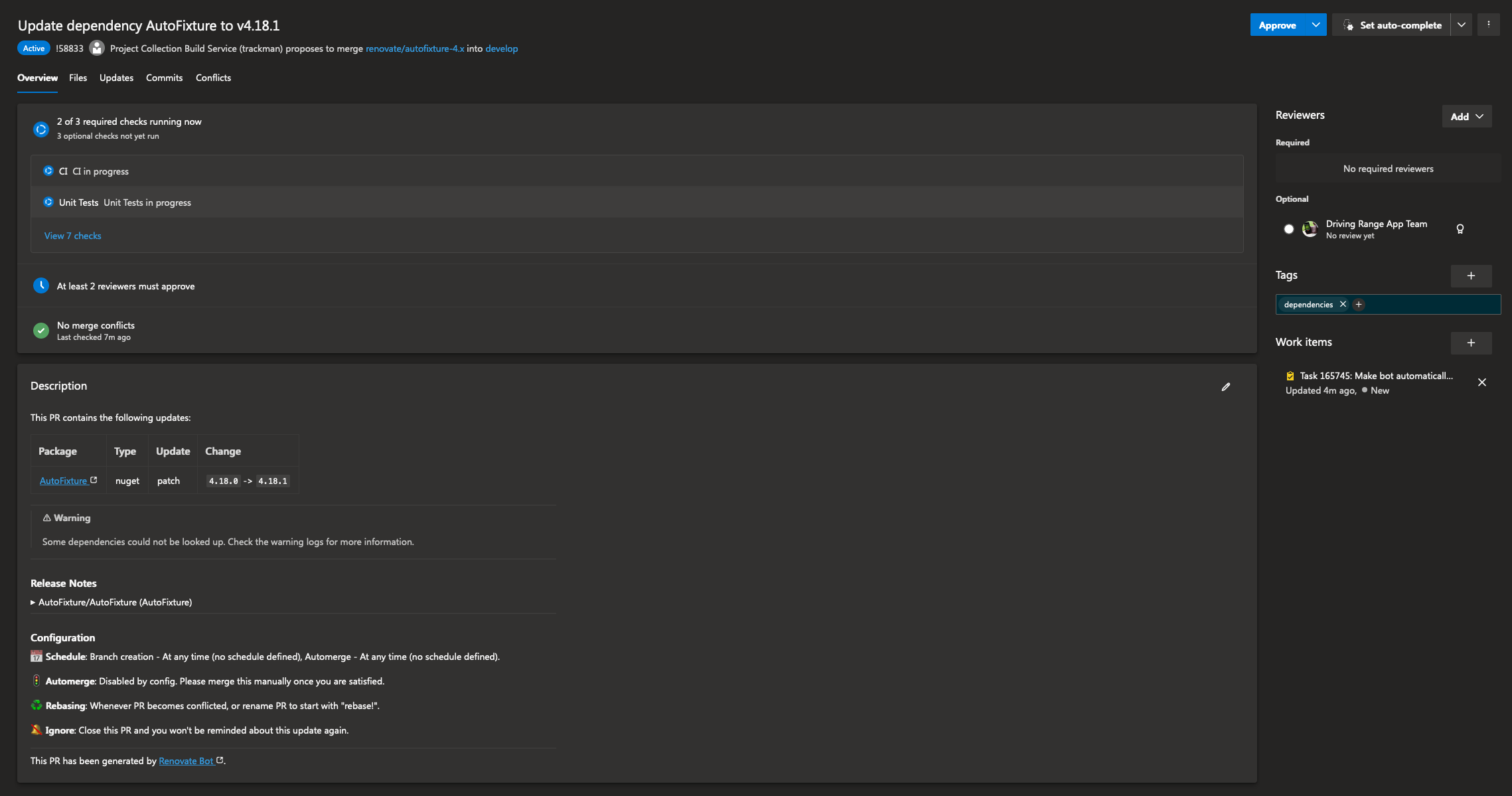
<p>Eventually you should see pull requests flowing in on your repos looking something like this:</p>

<p><a href="https://blog.ostebaronen.dk/assets/images/renovate-gh/pr-example.png" title="Screenshot of Pull Request from Renovate with a warning"><img src="https://blog.ostebaronen.dk/assets/images/renovate-gh/pr-example.png" alt="pr-example" title="Screenshot of Pull Request from Renovate with a warning" /></a></p>

<blockquote>
  <p>Note: you will see warnings on your pull requests like in the example above if something goes wrong when Renovate is running. This is your cue to troubleshoot these.</p>
</blockquote>

<p>Otherwise the stuff in my previous renovate posts still applies and can be used on GitHub as well.</p>]]></content><author><name>Tomasz Cielecki</name></author><category term="ci" /><category term="GitHub" /><category term="nuget" /><category term="renovate" /><summary type="html"><![CDATA[Early last year I wrote a few blog posts about hosting Renovate Bot in Azure DevOps to automatically create Pull Requests when dependencies update, how to configure it to group updates and how to share configurations. I have recently had a look at using Renovate Bot on GitHub as well as I have some projects where Dependabot simply does not work very well out of the box and would require me to use my own GitHub Action and using their CLI tool. While this would likely work I would still have to script all the PR creation etc. which is not exactly something I would want to deal with, especially when I am really happy with how Renovate Bot works for me in Azure DevOps.]]></summary></entry><entry><title type="html">Microsoft Testing Platform is cool!</title><link href="https://blog.ostebaronen.dk/2025/07/ms-test-platform-is-cool.html" rel="alternate" type="text/html" title="Microsoft Testing Platform is cool!" /><published>2025-07-20T11:00:00+00:00</published><updated>2025-07-20T11:00:00+00:00</updated><id>https://blog.ostebaronen.dk/2025/07/ms-test-platform-is-cool</id><content type="html" xml:base="https://blog.ostebaronen.dk/2025/07/ms-test-platform-is-cool.html"><![CDATA[<p>I love <a href="https://xunit.net/">xUnit</a> and I use it for most of my testing. With <a href="https://xunit.net/">xUnit</a> v3 the possibility of running the tests was added without the need of using any other external tools like console runners, <code class="language-plaintext highlighter-rouge">dotnet test</code> or <a href="https://github.com/microsoft/vstest">VSTest</a>. So a <a href="https://xunit.net/">xUnit</a> test suite is just a executable itself.
Not long after <a href="https://xunit.net/">xUnit</a> v3 were released I discovered <a href="https://learn.microsoft.com/en-us/dotnet/core/testing/microsoft-testing-platform-intro">Microsoft Testing Platform</a>, which achieves something very similar. According to their own <a href="https://learn.microsoft.com/en-us/dotnet/core/testing/microsoft-testing-platform-intro">docs it “[..]is a lightweight and portable alternative to VSTest for running tests in all contexts”</a>.</p>

<p>The cool thing about Microsoft Test Platform is that it provides this for all kinds of test libraries such as <a href="https://xunit.net/">xUnit</a>, <a href="https://nunit.org/">NUnit</a>, <a href="https://github.com/haf/expecto">Expecto</a>, <a href="https://github.com/microsoft/testfx">MSTest</a> and <a href="https://github.com/thomhurst/TUnit">TUnit</a>. So the Microsoft Testing Platform will work for you regardless of unit testing library you use, and regardless of the library supporting running standalone or not, since Microsoft Testing Platform will provide the runner as well.</p>

<p>I still use Microsoft Testing Platform with <a href="https://xunit.net/">xUnit</a> since they coorporate very well, and using them together simplifies a few things which required additional setup and libraries. So recently, I’ve been converting a few test suites to leverage Microsoft Testing Platform so let me share a few cool things I like about it.</p>

<p>So if you already have a Unit Test suite you can opt into the Microsoft Testing Platform bits by adding the following to your csproj file:</p>

<div class="language-xml highlighter-rouge"><div class="highlight"><pre class="highlight"><code><span class="nt">&lt;UseMicrosoftTestingPlatformRunner&gt;</span>true<span class="nt">&lt;/UseMicrosoftTestingPlatformRunner&gt;</span>
</code></pre></div></div>

<p>This way you can run the tests with <code class="language-plaintext highlighter-rouge">dotnet run</code>, now <code class="language-plaintext highlighter-rouge">xUnit.v3</code> already has this built in, but opting into the Testing Platform will then use the Testing Platform runner instead. If you still want to support running with <code class="language-plaintext highlighter-rouge">dotnet test</code> you can also add:</p>

<div class="language-xml highlighter-rouge"><div class="highlight"><pre class="highlight"><code><span class="nt">&lt;TestingPlatformDotnetTestSupport&gt;</span>true<span class="nt">&lt;/TestingPlatformDotnetTestSupport&gt;</span>
</code></pre></div></div>

<p>You can also at this point remove references to packages such as, because the Microsoft Testing Platform also handles integration with your IDE:</p>

<div class="language-xml highlighter-rouge"><div class="highlight"><pre class="highlight"><code><span class="nt">&lt;PackageReference</span> <span class="na">Include=</span><span class="s">"xunit.runner.visualstudio"</span><span class="nt">&gt;</span>
</code></pre></div></div>

<h2 id="report-formats">Report formats</h2>

<p>One cool thing about using Microsoft Testing Platform with xUnit is the wide variety of output types you get for reports. For instance some other tools I use such as SonarCloud, only supports <a href="https://xunit.net/">xUnit</a>, <a href="https://github.com/microsoft/vstest">VSTest</a> of <a href="https://nunit.org/">NUnit</a> report types.
While some other tools I use require a CTRF type report. This is no issue and can be easily configured when executing the tests with commandline arguments. To export a TRX (<a href="https://github.com/microsoft/vstest">VSTest</a>) and CTRF report I do:</p>

<div class="language-bash highlighter-rouge"><div class="highlight"><pre class="highlight"><code>dotnet run <span class="nt">--project</span> UnitTest/UnitTest.csproj <span class="nt">--</span> <span class="se">\</span>
  <span class="nt">--report-xunit-trx</span> <span class="nt">--report-xunit-trx-filename</span> UnitTestReport.xml <span class="se">\</span>
  <span class="nt">--report-ctrf</span> <span class="nt">--report-ctrf-filename</span> UnitTestReport.ctrf.json
</code></pre></div></div>

<p>This gives me both formats which I then can use for whatever other tools I use. Great!</p>

<p>When using <a href="https://nunit.org/">NUnit</a> you can also specify its reports with:</p>

<div class="language-bash highlighter-rouge"><div class="highlight"><pre class="highlight"><code><span class="nt">--report-nunit</span> <span class="nt">--report-nunit-filename</span> UnitTestReport.xml
</code></pre></div></div>

<p>And for <a href="https://xunit.net/">xUnit</a> reports you can do:</p>

<div class="language-bash highlighter-rouge"><div class="highlight"><pre class="highlight"><code><span class="nt">--report-xunit</span> <span class="nt">--report-xunit-filename</span> UnitTestReport.xml
</code></pre></div></div>

<p>So you have high flexibility of exporting whatever you need.</p>

<h2 id="code-coverage">Code coverage</h2>

<p>Gathering code coverage with Microsoft Testing Platform is also made super easy, previously I was relying on another package called <code class="language-plaintext highlighter-rouge">coverlet.collector</code>, however this package is designed for <a href="https://github.com/microsoft/vstest">VSTest</a> and does not work with Microsoft Testing Platform. Instead you can use their own extension <a href="https://www.nuget.org/packages/Microsoft.Testing.Extensions.CodeCoverage"><code class="language-plaintext highlighter-rouge">Microsoft.Testing.Extensions.CodeCoverage</code></a>, it can export code coverage reports in a VS binary format, XML and cobertura.</p>

<div class="language-xml highlighter-rouge"><div class="highlight"><pre class="highlight"><code><span class="nt">&lt;PackageReference</span> <span class="na">Include=</span><span class="s">"Microsoft.Testing.Extensions.CodeCoverage"</span><span class="nt">&gt;</span>
</code></pre></div></div>

<p>So in a very similar fashion like the various types of test report formats, adding code coverage after having added the NuGet package is done in a very similar fashion. So piecing everything together:</p>

<div class="language-bash highlighter-rouge"><div class="highlight"><pre class="highlight"><code>dotnet run <span class="nt">--project</span> UnitTest/UnitTest.csproj <span class="nt">--</span> <span class="se">\</span>
  <span class="nt">--report-xunit-trx</span> <span class="nt">--report-xunit-trx-filename</span> UnitTestReport.xml <span class="se">\</span>
  <span class="nt">--report-ctrf</span> <span class="nt">--report-ctrf-filename</span> UnitTestReport.ctrf.json <span class="se">\</span>
  <span class="nt">--coverage</span> <span class="nt">--coverage-output</span> CoverageReport.coverage <span class="nt">--coverage-output-format</span> cobertura
</code></pre></div></div>

<p>Super convenient. To generate a report locally you can still use the awesome <a href="https://github.com/danielpalme/ReportGenerator">.NET tool <code class="language-plaintext highlighter-rouge">dotnet-reportgenerator-globaltool</code></a> which can generate very nice HTML and markdown reports among many other exports.</p>

<h2 id="reporting-test-summary-with-github-actions">Reporting test summary with GitHub Actions</h2>

<p>So as I mentioned previously being able to export to various formats is a very powerful feature. One thing I use the CTRF reports for is to post Unit Test summaries on GitHub Actions runs. This summary looks something like this:</p>

<p><a href="https://blog.ostebaronen.dk/assets/images/mstestplat/gh-actions.png" title="Screenshot of unit test summary in a GitHub actions run"><img src="https://blog.ostebaronen.dk/assets/images/mstestplat/gh-actions.png" alt="Screenshot of unit test summary in a GitHub actions run" title="Screenshot of unit test summary in a GitHub actions run" /></a></p>

<p>This is powered by the <a href="https://github.com/ctrf-io/github-test-reporter"><code class="language-plaintext highlighter-rouge">ctrf-io/github-test-reporter</code> action</a> configured like this:</p>

<div class="language-yaml highlighter-rouge"><div class="highlight"><pre class="highlight"><code><span class="pi">-</span> <span class="na">name</span><span class="pi">:</span> <span class="s">Publish Test Report</span>
  <span class="na">uses</span><span class="pi">:</span> <span class="s">ctrf-io/github-test-reporter@073c73100796cafcbfdc4722c7fa11c29730439e</span> <span class="c1">#v1.0.18</span>
  <span class="na">with</span><span class="pi">:</span>
    <span class="na">report-path</span><span class="pi">:</span> <span class="s">${{ github.workspace }}/ctrf/*.ctrf.json</span>
    <span class="na">summary-report</span><span class="pi">:</span> <span class="no">true</span>
    <span class="na">github-report</span><span class="pi">:</span> <span class="no">true</span>
    <span class="na">pull-request</span><span class="pi">:</span> <span class="no">true</span>
    <span class="na">update-comment</span><span class="pi">:</span> <span class="no">true</span>
  <span class="na">env</span><span class="pi">:</span>
    <span class="na">GITHUB_TOKEN</span><span class="pi">:</span> <span class="s">${{ secrets.GITHUB_TOKEN }}</span>
</code></pre></div></div>

<h2 id="running-builds-with-cake">Running builds with Cake</h2>

<p>I use <a href="https://cakebuild.net/">Cake Build</a> in a lot of my build pipelines, since I can run all the steps locally and debug without need of committing and triggering stuff in a CI pipeline.</p>

<p>Currently there is no Settings class that know of all the combinations of what Microsoft Testing Platform can receive, but you can still use <code class="language-plaintext highlighter-rouge">dotnet run</code> to start your tests. For this I use a code block looking something like this:</p>

<div class="language-csharp highlighter-rouge"><div class="highlight"><pre class="highlight"><code><span class="kt">var</span> <span class="n">projectName</span> <span class="p">=</span> <span class="n">project</span><span class="p">.</span><span class="nf">GetFilenameWithoutExtension</span><span class="p">();</span>
<span class="kt">var</span> <span class="n">runSettings</span> <span class="p">=</span> <span class="k">new</span> <span class="n">DotNetRunSettings</span>
<span class="p">{</span>
    <span class="n">NoBuild</span> <span class="p">=</span> <span class="k">true</span><span class="p">,</span>
    <span class="n">Configuration</span> <span class="p">=</span> <span class="n">context</span><span class="p">.</span><span class="n">BuildConfiguration</span><span class="p">,</span>
    <span class="n">Verbosity</span> <span class="p">=</span> <span class="n">context</span><span class="p">.</span><span class="n">VerbosityDotNet</span><span class="p">,</span>
    <span class="n">ArgumentCustomization</span> <span class="p">=</span> <span class="n">args</span> <span class="p">=&gt;</span> <span class="n">args</span>
        <span class="p">.</span><span class="nf">Append</span><span class="p">(</span><span class="s">"-- "</span><span class="p">)</span>
        <span class="p">.</span><span class="nf">Append</span><span class="p">(</span><span class="s">$"--report-xunit-trx --report-xunit-trx-filename </span><span class="p">{</span><span class="n">projectName</span><span class="p">}</span><span class="s">.trx"</span><span class="p">)</span>
        <span class="p">.</span><span class="nf">Append</span><span class="p">(</span><span class="s">$"--report-ctrf --report-ctrf-filename </span><span class="p">{</span><span class="n">projectName</span><span class="p">}</span><span class="s">.ctrf.json"</span><span class="p">)</span>
        <span class="p">.</span><span class="nf">Append</span><span class="p">(</span><span class="s">$"--coverage --coverage-output </span><span class="p">{</span><span class="n">projectName</span><span class="p">}</span><span class="s">.coverage --coverage-output-format cobertura"</span><span class="p">)</span>
<span class="p">};</span>

<span class="n">context</span><span class="p">.</span><span class="nf">DotNetRun</span><span class="p">(</span><span class="n">project</span><span class="p">.</span><span class="n">FullPath</span><span class="p">,</span> <span class="n">runSettings</span><span class="p">);</span>
</code></pre></div></div>

<p>There is a <a href="https://github.com/cake-build/cake/issues/4462">discussion going on requesting to add the Microsoft Testing Platform capabilities to Cake</a>, so hopefully this will come in the future.</p>

<p>I really like the flexibility and capabilities that MS Testing Platform with xUnit gives me. I was able to migrate to Microsoft Testing Platform pretty easily and simplify some of my CI setup. Also the fact that you would be able to have tests using various frameworks and provide the same arguments to the runner is something that seems pretty interesting too. Since Microsoft Testing Platform would be taking care of the running and argument processing. This would allow someone to easily understand the setup but also swap it out for something else without having to mess with the arguments.</p>

<p>Another outcome from writing this article is getting to know of <a href="https://github.com/thomhurst/TUnit">TUnit</a>, which seems to take a slightly different approach to xUnit and other frameworks and base fully on top of Microsoft Testing Platform instead of adopting it. I might have to check this one out in the near future and see what it can do! The promise of heavily relying on Source Generators, supporting NativeAOT and fully trimmable sounds great.</p>]]></content><author><name>Tomasz Cielecki</name></author><category term="testing" /><category term="dotnet" /><category term="devops" /><summary type="html"><![CDATA[I love xUnit and I use it for most of my testing. With xUnit v3 the possibility of running the tests was added without the need of using any other external tools like console runners, dotnet test or VSTest. So a xUnit test suite is just a executable itself. Not long after xUnit v3 were released I discovered Microsoft Testing Platform, which achieves something very similar. According to their own docs it “[..]is a lightweight and portable alternative to VSTest for running tests in all contexts”.]]></summary></entry><entry><title type="html">Migrating Signing of NuGet packages to new sign tool</title><link href="https://blog.ostebaronen.dk/2025/05/dotnetfoundation-sign-tool.html" rel="alternate" type="text/html" title="Migrating Signing of NuGet packages to new sign tool" /><published>2025-05-24T09:30:00+00:00</published><updated>2025-05-24T09:30:00+00:00</updated><id>https://blog.ostebaronen.dk/2025/05/dotnetfoundation-sign-tool</id><content type="html" xml:base="https://blog.ostebaronen.dk/2025/05/dotnetfoundation-sign-tool.html"><![CDATA[<p>I maintain <a href="https://github.com/mvvmcross/mvvmcross" title="MvvmCross is an opinionated cross-platform MVVM framework for .NET Apps">MvvmCross</a> which is a part of the <a href="https://dotnetfoundation.org">.NET Foundation</a> and one of the services member projects get is signing of software using certificates issued by the .NET Foundation. This way the project does not have to manage their own signing certificates and not have to spend money on these.</p>

<p>So when I publish NuGet packages for MvvmCross when merging to develop or when releasing a stable release, these NuGet packages are signed. This way consumers of the packages can validate the authenticity of the package and know that it has not been tampered with.</p>

<p>Historically the way signing worked was using the <a href="https://www.nuget.org/packages/SignClient">SignClient</a> .NET tool, which is now depcrecated as well. The .NET Foundation has also moved over to use Azure Key Vault for their certificates, so a new tooling is required for member projects to sign their packages.</p>

<p>With help from the .NET foundation team, I have managed to get MvvmCross packages signed again after the deprecation of the other tool. Which was suprisingly straight forward. MvvmCross uses GitHub Actions Windows runners and signing is now done by:</p>

<ol>
  <li>Download the new <a href="https://www.nuget.org/packages/sign"><code class="language-plaintext highlighter-rouge">sign</code></a> tool</li>
  <li>Sign in to Azure CLI</li>
  <li>Sign packages which are in the <code class="language-plaintext highlighter-rouge">${{ github.workspace}}/output</code> folder</li>
</ol>

<div class="language-yaml highlighter-rouge"><div class="highlight"><pre class="highlight"><code><span class="pi">-</span> <span class="na">name</span><span class="pi">:</span> <span class="s">Install sign tool</span>
  <span class="na">run</span><span class="pi">:</span> <span class="s">dotnet tool install --tool-path . sign --version 0.9.1-beta.25278.1</span>

<span class="pi">-</span> <span class="na">name</span><span class="pi">:</span> <span class="s1">'</span><span class="s">Az</span><span class="nv"> </span><span class="s">CLI</span><span class="nv"> </span><span class="s">login'</span>
  <span class="na">uses</span><span class="pi">:</span> <span class="s">azure/login@a457da9ea143d694b1b9c7c869ebb04ebe844ef5</span> <span class="c1">#v2.3.0</span>
  <span class="na">with</span><span class="pi">:</span>
    <span class="na">client-id</span><span class="pi">:</span> <span class="s">${{ secrets.SIGN_AZURE_CLIENT_ID }}</span>
    <span class="na">tenant-id</span><span class="pi">:</span> <span class="s">${{ secrets.SIGN_AZURE_TENANT_ID }}</span>
    <span class="na">subscription-id</span><span class="pi">:</span> <span class="s">${{ secrets.SIGN_AZURE_SUBSCRIPTION_ID }}</span>

<span class="pi">-</span> <span class="na">name</span><span class="pi">:</span> <span class="s">Sign NuGet packages</span>
  <span class="na">shell</span><span class="pi">:</span> <span class="s">pwsh</span>
  <span class="na">run</span><span class="pi">:</span> <span class="pi">&gt;</span>
    <span class="s">./sign code azure-key-vault</span>
    <span class="s">**/*.nupkg</span>
    <span class="s">--base-directory "${{ github.workspace }}/output"</span>
    <span class="s">--publisher-name "MvvmCross"</span>
    <span class="s">--description "MvvmCross is a cross platform MVVM framework"</span>
    <span class="s">--description-url "https://mvvmcross.com"</span>
    <span class="s">--azure-key-vault-url "${{ secrets.SIGN_AZURE_VAULT_URL }}"</span>
    <span class="s">--azure-key-vault-certificate "${{ secrets.SIGN_AZURE_KEY_VAULT_CERTIFICATE_ID }}"</span>
</code></pre></div></div>

<p>The secrets are provided to you by the .NET Foundation.</p>

<p>You can double check that the package has been signed either using the NuGet package explorer and upload your signed package there. Which on the left side will show a “Digital Signatures” section showing something like:</p>

<p><a href="https://blog.ostebaronen.dk/assets/images/sign/nugetinfo.png" title="Screenshot of NuGet Info showing Digital Signatures pane"><img src="https://blog.ostebaronen.dk/assets/images/sign/nugetinfo.png" alt="Screenshot of NuGet Info showing Digital Signatures pane" title="Screenshot of NuGet Info showing Digital Signatures pane" /></a></p>]]></content><author><name>Tomasz Cielecki</name></author><category term="NuGet" /><category term="dotnet" /><summary type="html"><![CDATA[I maintain MvvmCross which is a part of the .NET Foundation and one of the services member projects get is signing of software using certificates issued by the .NET Foundation. This way the project does not have to manage their own signing certificates and not have to spend money on these.]]></summary></entry><entry><title type="html">Migrating AppCenter Analytics Events to Application Insights</title><link href="https://blog.ostebaronen.dk/2025/03/appcenter-applicationinsights.html" rel="alternate" type="text/html" title="Migrating AppCenter Analytics Events to Application Insights" /><published>2025-03-05T15:00:00+00:00</published><updated>2025-03-05T15:00:00+00:00</updated><id>https://blog.ostebaronen.dk/2025/03/appcenter-applicationinsights</id><content type="html" xml:base="https://blog.ostebaronen.dk/2025/03/appcenter-applicationinsights.html"><![CDATA[<p>With <a href="https://appcenter.ms">AppCenter</a> closing 31st of March, I bet some people are scrambling to find out what to do instead.
In my organization we’ve moved crashes into <a href="https://sentry.io">Sentry</a>. However, there is still the question of what to do about
Analytics events, which <a href="https://sentry.io">Sentry</a> does not have an offering for.</p>

<p>We had AppCenter analytics events being exported into <a href="https://learn.microsoft.com/en-us/azure/azure-monitor/app/app-insights-overview">Application Insights</a>. To patch this functionality,
one could add not too many lines of code to replicate more or less what AppCenter exported.</p>

<p>In your Mobile App, you can add the <a href="https://www.nuget.org/packages/Microsoft.ApplicationInsights"><code class="language-plaintext highlighter-rouge">Microsoft.ApplicationInsights</code> NuGet package</a> and create a <code class="language-plaintext highlighter-rouge">TelemetryClient</code> like so:</p>

<div class="language-csharp highlighter-rouge"><div class="highlight"><pre class="highlight"><code><span class="kt">var</span> <span class="n">config</span> <span class="p">=</span> <span class="k">new</span> <span class="n">TelemetryConfiguration</span>
<span class="p">{</span>
    <span class="n">ConnectionString</span> <span class="p">=</span> <span class="n">MyConnectionString</span>
<span class="p">};</span>
<span class="n">telemetryClient</span> <span class="p">=</span> <span class="k">new</span> <span class="nf">TelemetryClient</span><span class="p">(</span><span class="n">config</span><span class="p">);</span>
</code></pre></div></div>

<p>To set similar global properties on events which AppCenter did you add these properties:</p>

<div class="language-csharp highlighter-rouge"><div class="highlight"><pre class="highlight"><code><span class="n">telemetryClient</span><span class="p">.</span><span class="n">Context</span><span class="p">.</span><span class="n">Device</span><span class="p">.</span><span class="n">Id</span> <span class="p">=</span> <span class="n">your</span> <span class="n">device</span> <span class="nf">id</span> <span class="p">(</span><span class="n">you</span> <span class="n">have</span> <span class="n">to</span> <span class="n">come</span> <span class="n">up</span> <span class="n">with</span> <span class="n">something</span> <span class="k">for</span> <span class="k">this</span><span class="p">,</span> <span class="n">I</span> <span class="n">just</span> <span class="n">save</span> <span class="n">a</span> <span class="n">GUID</span><span class="p">);</span>
<span class="n">telemetryClient</span><span class="p">.</span><span class="n">Context</span><span class="p">.</span><span class="n">Device</span><span class="p">.</span><span class="n">OperatingSystem</span> <span class="p">=</span> <span class="nf">GetOperatingSystem</span><span class="p">();</span>
<span class="n">telemetryClient</span><span class="p">.</span><span class="n">Context</span><span class="p">.</span><span class="n">Device</span><span class="p">.</span><span class="n">Model</span> <span class="p">=</span> <span class="n">Microsoft</span><span class="p">.</span><span class="n">Maui</span><span class="p">.</span><span class="n">Devices</span><span class="p">.</span><span class="n">DeviceInfo</span><span class="p">.</span><span class="n">Manufacturer</span><span class="p">;</span>
<span class="n">telemetryClient</span><span class="p">.</span><span class="n">Context</span><span class="p">.</span><span class="n">Device</span><span class="p">.</span><span class="n">Type</span> <span class="p">=</span> <span class="n">Microsoft</span><span class="p">.</span><span class="n">Maui</span><span class="p">.</span><span class="n">Devices</span><span class="p">.</span><span class="n">DeviceInfo</span><span class="p">.</span><span class="n">Model</span><span class="p">;</span>
<span class="n">telemetryClient</span><span class="p">.</span><span class="n">Context</span><span class="p">.</span><span class="n">GlobalProperties</span><span class="p">.</span><span class="nf">Add</span><span class="p">(</span><span class="s">"AppBuild"</span><span class="p">,</span> <span class="n">Microsoft</span><span class="p">.</span><span class="n">Maui</span><span class="p">.</span><span class="n">ApplicationModel</span><span class="p">.</span><span class="n">VersionTracking</span><span class="p">.</span><span class="n">CurrentBuild</span><span class="p">);</span>
<span class="n">telemetryClient</span><span class="p">.</span><span class="n">Context</span><span class="p">.</span><span class="n">GlobalProperties</span><span class="p">.</span><span class="nf">Add</span><span class="p">(</span><span class="s">"AppNamespace"</span><span class="p">,</span> <span class="n">Microsoft</span><span class="p">.</span><span class="n">Maui</span><span class="p">.</span><span class="n">ApplicationModel</span><span class="p">.</span><span class="n">AppInfo</span><span class="p">.</span><span class="n">PackageName</span><span class="p">);</span>
<span class="n">telemetryClient</span><span class="p">.</span><span class="n">Context</span><span class="p">.</span><span class="n">GlobalProperties</span><span class="p">.</span><span class="nf">Add</span><span class="p">(</span><span class="s">"OsName"</span><span class="p">,</span> <span class="n">Microsoft</span><span class="p">.</span><span class="n">Maui</span><span class="p">.</span><span class="n">Devices</span><span class="p">.</span><span class="n">DeviceInfo</span><span class="p">.</span><span class="n">Platform</span><span class="p">.</span><span class="nf">ToString</span><span class="p">());</span>
<span class="n">telemetryClient</span><span class="p">.</span><span class="n">Context</span><span class="p">.</span><span class="n">GlobalProperties</span><span class="p">.</span><span class="nf">Add</span><span class="p">(</span><span class="s">"OsVersion"</span><span class="p">,</span> <span class="n">Microsoft</span><span class="p">.</span><span class="n">Maui</span><span class="p">.</span><span class="n">Devices</span><span class="p">.</span><span class="n">DeviceInfo</span><span class="p">.</span><span class="n">VersionString</span><span class="p">);</span>
<span class="n">telemetryClient</span><span class="p">.</span><span class="n">Context</span><span class="p">.</span><span class="n">GlobalProperties</span><span class="p">.</span><span class="nf">Add</span><span class="p">(</span><span class="s">"OsBuild"</span><span class="p">,</span> <span class="n">Microsoft</span><span class="p">.</span><span class="n">Maui</span><span class="p">.</span><span class="n">Devices</span><span class="p">.</span><span class="n">DeviceInfo</span><span class="p">.</span><span class="n">Version</span><span class="p">.</span><span class="n">Build</span><span class="p">.</span><span class="nf">ToString</span><span class="p">());</span>
<span class="n">telemetryClient</span><span class="p">.</span><span class="n">Context</span><span class="p">.</span><span class="n">GlobalProperties</span><span class="p">.</span><span class="nf">Add</span><span class="p">(</span><span class="s">"ScreenSize"</span><span class="p">,</span>
    <span class="s">$"</span><span class="p">{</span><span class="n">Microsoft</span><span class="p">.</span><span class="n">Maui</span><span class="p">.</span><span class="n">Devices</span><span class="p">.</span><span class="n">DeviceDisplay</span><span class="p">.</span><span class="n">MainDisplayInfo</span><span class="p">.</span><span class="n">Width</span><span class="p">}</span><span class="s">x</span><span class="p">{</span><span class="n">Microsoft</span><span class="p">.</span><span class="n">Maui</span><span class="p">.</span><span class="n">Devices</span><span class="p">.</span><span class="n">DeviceDisplay</span><span class="p">.</span><span class="n">MainDisplayInfo</span><span class="p">.</span><span class="n">Height</span><span class="p">}</span><span class="s">"</span><span class="p">);</span>

<span class="k">static</span> <span class="kt">string</span> <span class="nf">GetOperatingSystem</span><span class="p">()</span>
<span class="p">{</span>
    <span class="kt">var</span> <span class="n">os</span> <span class="p">=</span> <span class="n">Microsoft</span><span class="p">.</span><span class="n">Maui</span><span class="p">.</span><span class="n">Devices</span><span class="p">.</span><span class="n">DeviceInfo</span><span class="p">.</span><span class="n">Platform</span><span class="p">.</span><span class="nf">ToString</span><span class="p">();</span>
    <span class="kt">var</span> <span class="n">version</span> <span class="p">=</span> <span class="n">Microsoft</span><span class="p">.</span><span class="n">Maui</span><span class="p">.</span><span class="n">Devices</span><span class="p">.</span><span class="n">DeviceInfo</span><span class="p">.</span><span class="n">VersionString</span><span class="p">;</span>
    <span class="k">return</span> <span class="s">$"</span><span class="p">{</span><span class="n">os</span><span class="p">}</span><span class="s"> (</span><span class="p">{</span><span class="n">version</span><span class="p">}</span><span class="s">)"</span><span class="p">;</span>
<span class="p">}</span>
</code></pre></div></div>

<p>If you want to identify users you can do:</p>

<div class="language-csharp highlighter-rouge"><div class="highlight"><pre class="highlight"><code><span class="n">telemetryClient</span><span class="p">.</span><span class="n">Context</span><span class="p">.</span><span class="n">User</span><span class="p">.</span><span class="n">Id</span> <span class="p">=</span> <span class="n">userId</span><span class="p">;</span>
<span class="n">telemetryClient</span><span class="p">.</span><span class="n">Context</span><span class="p">.</span><span class="n">GlobalProperties</span><span class="p">[</span><span class="s">"UserId"</span><span class="p">]</span> <span class="p">=</span> <span class="n">userId</span><span class="p">;</span>
</code></pre></div></div>

<p>Then to track events you can do:</p>

<div class="language-csharp highlighter-rouge"><div class="highlight"><pre class="highlight"><code><span class="k">public</span> <span class="k">void</span> <span class="nf">TrackEvent</span><span class="p">(</span><span class="kt">string</span> <span class="n">eventName</span><span class="p">,</span> <span class="n">IDictionary</span><span class="p">&lt;</span><span class="kt">string</span><span class="p">,</span> <span class="kt">string</span><span class="p">&gt;</span> <span class="n">properties</span> <span class="p">=</span> <span class="k">null</span><span class="p">)</span>
<span class="p">{</span>
    <span class="k">if</span> <span class="p">(</span><span class="n">properties</span> <span class="p">!=</span> <span class="k">null</span><span class="p">)</span>
    <span class="p">{</span>
        <span class="c1">// AppCenter exported event properties in a nested way</span>
        <span class="n">telemetryClient</span><span class="p">.</span><span class="nf">TrackEvent</span><span class="p">(</span><span class="n">eventName</span><span class="p">,</span>
            <span class="k">new</span> <span class="n">Dictionary</span><span class="p">&lt;</span><span class="kt">string</span><span class="p">,</span> <span class="kt">string</span><span class="p">&gt;</span> <span class="p">{</span> <span class="p">{</span> <span class="s">"Properties"</span><span class="p">,</span> <span class="nf">ToPropertiesValue</span><span class="p">(</span><span class="n">properties</span><span class="p">)</span> <span class="p">}</span> <span class="p">});</span>
    <span class="p">}</span>
    <span class="k">else</span>
    <span class="p">{</span>
        <span class="n">telemetryClient</span><span class="p">.</span><span class="nf">TrackEvent</span><span class="p">(</span><span class="n">eventName</span><span class="p">);</span>
    <span class="p">}</span>
<span class="p">}</span>

<span class="k">private</span> <span class="k">static</span> <span class="kt">string</span> <span class="nf">ToPropertiesValue</span><span class="p">(</span><span class="n">IDictionary</span><span class="p">&lt;</span><span class="kt">string</span><span class="p">,</span> <span class="kt">string</span><span class="p">&gt;</span> <span class="n">dictionary</span><span class="p">)</span> <span class="p">=&gt;</span>
    <span class="s">"{"</span> <span class="p">+</span> <span class="kt">string</span><span class="p">.</span><span class="nf">Join</span><span class="p">(</span><span class="s">","</span><span class="p">,</span> <span class="n">dictionary</span><span class="p">.</span><span class="nf">Select</span><span class="p">(</span><span class="n">kv</span> <span class="p">=&gt;</span> <span class="s">$"\"</span><span class="p">{</span><span class="n">kv</span><span class="p">.</span><span class="n">Key</span><span class="p">}</span><span class="s">\":\"</span><span class="p">{</span><span class="n">kv</span><span class="p">.</span><span class="n">Value</span><span class="p">}</span><span class="s">\""</span><span class="p">))</span> <span class="p">+</span> <span class="s">"}"</span><span class="p">;</span>
</code></pre></div></div>

<p>This will get you most of the way and any dashboards you’ve made based on the data in <code class="language-plaintext highlighter-rouge">customDimensions.Properties</code> can
be kept alive indefinitely or until you switch to something else.</p>]]></content><author><name>Tomasz Cielecki</name></author><category term="AppCenter" /><category term="Azure" /><category term="dotnet" /><summary type="html"><![CDATA[With AppCenter closing 31st of March, I bet some people are scrambling to find out what to do instead. In my organization we’ve moved crashes into Sentry. However, there is still the question of what to do about Analytics events, which Sentry does not have an offering for.]]></summary></entry><entry><title type="html">Consuming private Swift Packages in GitHub Actions</title><link href="https://blog.ostebaronen.dk/2025/02/consuming-private-swift-packages-in-gh-actions.html" rel="alternate" type="text/html" title="Consuming private Swift Packages in GitHub Actions" /><published>2025-02-19T07:30:00+00:00</published><updated>2025-02-19T07:30:00+00:00</updated><id>https://blog.ostebaronen.dk/2025/02/consuming-private-swift-packages-in-gh-actions</id><content type="html" xml:base="https://blog.ostebaronen.dk/2025/02/consuming-private-swift-packages-in-gh-actions.html"><![CDATA[<p>I had a case for a native App we are working on where we already have some Swift Packages in Azure DevOps Repos, which
we would like to consume in a project that lives in GitHub.</p>

<p>Locally on your machine this setup is pretty easy to work with if you are using something like <a href="https://github.com/git-ecosystem/git-credential-manager Git Credential Manager GitHub repository">Git Credential Manager</a>.
You just install the manager, use https urls and it will pop open a Web Browser to ask for your credentials when needed.
This interactive way of authenticating is not really possible when you run in CI.</p>

<h2 id="stuff-that-didnt-work">Stuff that didn’t work</h2>

<p>I tried using git credential store and added something like this in the beginning of my workflow:</p>

<div class="language-yml highlighter-rouge"><div class="highlight"><pre class="highlight"><code><span class="pi">-</span> <span class="na">name</span><span class="pi">:</span> <span class="s">Add Azure DevOps repo authentication for SwiftPM</span>
  <span class="na">run</span><span class="pi">:</span> <span class="pi">|</span>
    <span class="s">git config --global credential.helper store</span>
    <span class="s">git config --global --add http.https://$ORG@dev.azure.com/$ORG/$PROJECT/_git/.extraHeader "AUTHORIZATION: Basic $BASE64PAT"</span>
  <span class="na">env</span><span class="pi">:</span>
    <span class="na">ORG</span><span class="pi">:</span> <span class="s">orgname</span>
    <span class="na">PROJECT</span><span class="pi">:</span> <span class="s">projectname</span>
    <span class="na">BASE64PAT</span><span class="pi">:</span> <span class="s">$</span>
</code></pre></div></div>

<p>This didn’t work at all, even though multiple source online says it was supposed to.</p>

<p>I also thought of using SSH keys, but I don’t want to do that since Azure DevOps Repos do not support LFS over SSH, so
that would open up another can of worms for me.</p>

<h2 id="netrc-to-the-rescue"><code class="language-plaintext highlighter-rouge">.netrc</code> to the rescue</h2>

<p><a href="https://everything.curl.dev/usingcurl/netrc.html More information about netrc"><code class="language-plaintext highlighter-rouge">.netrc</code></a> is know from the *nix world for allowing you to store credentials for automatically log into services like ftp,
http etc. So a help to avoid having to enter your credentials every time you want to connect to these services.</p>

<p>In GitHub Actions, there is a convenient action to create such file for you:</p>

<div class="language-yml highlighter-rouge"><div class="highlight"><pre class="highlight"><code><span class="pi">-</span> <span class="na">uses</span><span class="pi">:</span> <span class="s">extractions/netrc@v1</span>
  <span class="na">with</span><span class="pi">:</span>
    <span class="na">machine</span><span class="pi">:</span> <span class="s">dev.azure.com</span>
    <span class="na">username</span><span class="pi">:</span> <span class="s">orgname</span>
    <span class="na">password</span><span class="pi">:</span> <span class="s">$</span>
</code></pre></div></div>

<p>Adding the <code class="language-plaintext highlighter-rouge">.netrc</code> now allows SwiftPM to resolve the package and CI is now happy</p>

<p>While this works for Swift Packages, it will likely work for other things for you as well.</p>]]></content><author><name>Tomasz Cielecki</name></author><category term="Azure DevOps" /><category term="GitHub" /><summary type="html"><![CDATA[I had a case for a native App we are working on where we already have some Swift Packages in Azure DevOps Repos, which we would like to consume in a project that lives in GitHub.]]></summary></entry><entry><title type="html">Working with JsonSerializerContext in System.Text.Json and Refit</title><link href="https://blog.ostebaronen.dk/2025/01/jsonserializercontext.html" rel="alternate" type="text/html" title="Working with JsonSerializerContext in System.Text.Json and Refit" /><published>2025-01-17T08:30:00+00:00</published><updated>2025-01-17T08:30:00+00:00</updated><id>https://blog.ostebaronen.dk/2025/01/jsonserializercontext</id><content type="html" xml:base="https://blog.ostebaronen.dk/2025/01/jsonserializercontext.html"><![CDATA[<p>Recently I have added <code class="language-plaintext highlighter-rouge">&lt;EnableTrimAnalyzer&gt;true&lt;/EnableTrimAnalyzer&gt;</code> to a bunch of my projects, which now yield warnings when code I wrote has potential issues when trimming the assembly.</p>

<p>What is trimming? In short terms, instead of shipping all the code in all assemblies in an Release version of your App, the trimming process scans what is actually used and cuts out all the other code that is unused.
This leads to much smaller Apps in terms of size. There are other processes which also help with speed.</p>

<p>Additionally, in a mobile context, we often opt into AOT compilation, which also brings a set of gotchas. For example, if your App uses reflection or emits code, it will likely not work at runtime. To replace a lot of this kind of code, some time ago we got Source Generators to help us do some of these things at compile time, instead of doing them at runtime.</p>

<p>So because of enabling the Trim Analyzers, I now noticed a few warnings around serialization code I had, which told me I could use <code class="language-plaintext highlighter-rouge">JsonSerializerContext</code> to source generate the serializers to help with trimming but also speed. Whenever I read that something becomes faster, I get excited. I love speed! So, obviously I had to try this out.</p>

<p>So commonly when serializing/deserializing something with System.Text.Json you could have some code looking something like this:</p>

<div class="language-csharp highlighter-rouge"><div class="highlight"><pre class="highlight"><code><span class="n">record</span> <span class="nf">PersonDto</span><span class="p">(</span><span class="kt">string</span> <span class="n">Id</span><span class="p">,</span> <span class="kt">string</span> <span class="n">Name</span><span class="p">);</span>

<span class="kt">var</span> <span class="n">person</span> <span class="p">=</span> <span class="n">JsonSerializer</span><span class="p">.</span><span class="n">Deserialize</span><span class="p">&lt;</span><span class="n">PersonDto</span><span class="p">&gt;(</span><span class="n">json</span><span class="p">);</span>
</code></pre></div></div>

<p>This code would now emit a Trimmer warning because the definition of the method looks as follows.</p>

<p><a href="https://blog.ostebaronen.dk/assets/images/trimming/api-def.png" title="Screenshot from Rider showing the definition of the method, and showing the method has been annotated with RequiresUnreferencedCode and RequiresDynamicCode"><img src="https://blog.ostebaronen.dk/assets/images/trimming/api-def.png" alt="" title="Screenshot from Rider showing the definition of the method, and showing the method has been annotated with RequiresUnreferencedCode and RequiresDynamicCode" /></a></p>

<p>If you look carefully, there are two annotations that trigger the trimming warnings. Namely <code class="language-plaintext highlighter-rouge">[RequiresUnreferencedCode]</code> and <code class="language-plaintext highlighter-rouge">[RequiresDynamicCode]</code>. These essentially say, that the method uses code outside of its own knowledge and that this code could potentially be trimmed away and code will be generated at runtime, which is not compatible with (Native)AOT.</p>

<p>OK, what then? Source generators to the rescue! So to avoid the generated code at runtime and to avoid types getting trimmed, we can implement <code class="language-plaintext highlighter-rouge">JsonSerializerContext</code> and tell the serializer about this. Which is fairly simple.</p>

<div class="language-csharp highlighter-rouge"><div class="highlight"><pre class="highlight"><code><span class="p">[</span><span class="nf">JsonSerializable</span><span class="p">(</span><span class="k">typeof</span><span class="p">(</span><span class="n">PersonDto</span><span class="p">))]</span>
<span class="k">internal</span> <span class="k">sealed</span> <span class="k">partial</span> <span class="n">SerializerContext</span> <span class="p">:</span> <span class="n">JsonSerializerContext</span><span class="p">;</span>
</code></pre></div></div>

<p>This will generate the serializer needed to serialize and deserialize <code class="language-plaintext highlighter-rouge">PersonDto</code>. So this means, that any type you want to run through the serializer, you would need to add to a <code class="language-plaintext highlighter-rouge">JsonSerializerContext</code>. Additionally,
you need to use the method overload that takes the <code class="language-plaintext highlighter-rouge">JsonSerializerContext</code> when serializing or deserializing. So the example from above becomes:</p>

<div class="language-csharp highlighter-rouge"><div class="highlight"><pre class="highlight"><code><span class="n">PersonDto</span> <span class="n">person</span> <span class="p">=</span> <span class="n">JsonSerializer</span><span class="p">.</span><span class="nf">Deserialize</span><span class="p">(</span><span class="n">json</span><span class="p">,</span> <span class="n">SerializerContext</span><span class="p">.</span><span class="n">Default</span><span class="p">.</span><span class="n">PersonDto</span><span class="p">);</span>

<span class="c1">// or</span>

<span class="n">PersonDto</span> <span class="n">person</span> <span class="p">=</span> <span class="n">JsonSerializer</span><span class="p">.</span><span class="nf">Deserialize</span><span class="p">(</span><span class="n">bayJson</span><span class="p">,</span> <span class="k">typeof</span><span class="p">(</span><span class="n">PersonDto</span><span class="p">),</span> <span class="n">SerializerContext</span><span class="p">.</span><span class="n">Default</span><span class="p">);</span>
</code></pre></div></div>

<p>Obviously there are async variants as well, however, they will have a very similar signature to do the same.</p>

<p>So with these few steps you are now trimmer safe and AOT compatible when serializing and deserializing code with System.Text.Json.</p>

<h2 id="usage-in-refit">Usage in Refit</h2>

<p>If you are a user of Refit. The default serializer used is System.Text.Json, with its default configuration. If you want to use your newly added <code class="language-plaintext highlighter-rouge">JsonSerializerContext</code> you need to tell Refit about his using its settings. This can be done simply with something like this:</p>

<div class="language-csharp highlighter-rouge"><div class="highlight"><pre class="highlight"><code><span class="kt">var</span> <span class="n">settings</span> <span class="p">=</span> <span class="k">new</span> <span class="n">RefitSettings</span>
<span class="p">{</span>
    <span class="n">ContentSerializer</span> <span class="p">=</span> <span class="k">new</span> <span class="nf">SystemTextJsonContentSerializer</span><span class="p">(</span><span class="n">SerializerContext</span><span class="p">.</span><span class="n">Default</span><span class="p">.</span><span class="n">Options</span><span class="p">)</span>
<span class="p">};</span>

<span class="kt">var</span> <span class="n">api</span> <span class="p">=</span> <span class="n">RestService</span><span class="p">.</span><span class="n">For</span><span class="p">&lt;</span><span class="n">IPersonApi</span><span class="p">&gt;(</span><span class="n">url</span><span class="p">,</span> <span class="n">settings</span><span class="p">);</span>
</code></pre></div></div>

<p>Now you are good to go and Refit will use your context. However, there are a few caveats to be aware of.</p>

<p>On the <code class="language-plaintext highlighter-rouge">JsonSerializerContext</code> you can set some options through <code class="language-plaintext highlighter-rouge">JsonSourceGenerationOptions</code>, like how to format json when serializing, or whether to allow case insensitivity on fields. So applied on the <code class="language-plaintext highlighter-rouge">JsonSerializerContext</code> from before, this could look like:</p>

<div class="language-csharp highlighter-rouge"><div class="highlight"><pre class="highlight"><code><span class="p">[</span><span class="nf">JsonSourceGenerationOptions</span><span class="p">(</span><span class="n">PropertyNameCaseInsensitive</span> <span class="p">=</span> <span class="k">true</span><span class="p">,</span> <span class="n">WriteIndented</span> <span class="p">=</span> <span class="k">true</span><span class="p">)]</span>
<span class="p">[</span><span class="nf">JsonSerializable</span><span class="p">(</span><span class="k">typeof</span><span class="p">(</span><span class="n">PersonDto</span><span class="p">))]</span>
<span class="k">internal</span> <span class="k">sealed</span> <span class="k">partial</span> <span class="n">SerializerContext</span> <span class="p">:</span> <span class="n">JsonSerializerContext</span><span class="p">;</span>
</code></pre></div></div>

<p>These options are however ignored if you accidentally create your settings like this:</p>

<div class="language-csharp highlighter-rouge"><div class="highlight"><pre class="highlight"><code><span class="kt">var</span> <span class="n">settings</span> <span class="p">=</span> <span class="k">new</span> <span class="n">RefitSettings</span>
<span class="p">{</span>
    <span class="n">ContentSerializer</span> <span class="p">=</span> <span class="k">new</span> <span class="nf">SystemTextJsonContentSerializer</span><span class="p">(</span>
        <span class="k">new</span> <span class="n">JsonSerializerOptions</span>
        <span class="p">{</span>
            <span class="n">TypeInfoResolver</span> <span class="p">=</span> <span class="n">SerializerContext</span><span class="p">.</span><span class="n">Default</span>
        <span class="p">})</span>
<span class="p">};</span>

<span class="kt">var</span> <span class="n">api</span> <span class="p">=</span> <span class="n">RestService</span><span class="p">.</span><span class="n">For</span><span class="p">&lt;</span><span class="n">IPersonApi</span><span class="p">&gt;(</span><span class="n">url</span><span class="p">,</span> <span class="n">settings</span><span class="p">);</span>
</code></pre></div></div>

<p>So make sure to provide the full options like shown in the first example with <code class="language-plaintext highlighter-rouge">RefitSettings</code>.</p>

<p>If you are using <code class="language-plaintext highlighter-rouge">HttpClientFactory</code> and a <code class="language-plaintext highlighter-rouge">ServiceCollection</code> to register your Refit APIs you can also pass settings with:</p>

<div class="language-csharp highlighter-rouge"><div class="highlight"><pre class="highlight"><code><span class="n">serviceCollection</span><span class="p">.</span><span class="n">AddRefitClient</span><span class="p">&lt;</span><span class="n">IPersonApi</span><span class="p">&gt;(</span><span class="n">settings</span><span class="p">);</span>
</code></pre></div></div>]]></content><author><name>Tomasz Cielecki</name></author><category term="dotnet" /><category term="sourcegen" /><category term="refit" /><summary type="html"><![CDATA[Recently I have added &lt;EnableTrimAnalyzer&gt;true&lt;/EnableTrimAnalyzer&gt; to a bunch of my projects, which now yield warnings when code I wrote has potential issues when trimming the assembly.]]></summary></entry></feed>